
How to Prevent Carpal Tunnel Syndrome at Your Desk: 7 Habits

Most advice on how to prevent carpal tunnel starts in the wrong place. It hands you a wrist stretch, then sends you back to the exact desk that strained you. The stretch is not useless. It is just the smallest lever in the room.
Carpal tunnel syndrome is common among people who work with their hands all day. In a pooled analysis of six prospective studies covering 4,321 US workers, 7.8% already met the case definition before any follow-up even began. Waiting for symptoms is the expensive route: a 2026 cross-sectional study of office workers associated severe carpal tunnel syndrome with more than 60% loss in work productivity, on top of the pain itself.
Here is the part most guides skip. Prevention is mostly structural, not a matter of willpower. A 2021 systematic review in Applied Ergonomics found only "a mixed level of evidence" for any single workplace fix. That sounds discouraging. It is actually the most useful sentence here, because it tells you to stop chasing one habit and start stacking several. So, let's stack them.
On This Page
- What is carpal tunnel syndrome?
- Why prevention is a setup problem, not a stretch problem
- How to prevent carpal tunnel syndrome: 7 everyday habits
- Choose an ergonomic mouse that keeps your wrist neutral
- Wrist stretches and exercises to support wrist comfort
- Your wrist-strain reduction plan: start this week
- Carpal tunnel syndrome treatment: when to see a doctor
- Set your hands up to last
- Frequently asked questions
What Is Carpal Tunnel Syndrome?
Carpal tunnel syndrome is pressure on the median nerve where it runs through a narrow passageway at the base of your palm. That passageway is already crowded. The nerve shares it with tendons and a stiff ligament, so any swelling or squeeze leaves the nerve with nowhere to go.
You feel it as numbness, tingling, or a dull ache in your thumb, index, and middle fingers. Hand numbness that flares up at night and nags you while you try to sleep is one of the most common early symptoms, and some people shake the hand out to settle it. Wrist pain that lingers after the workday is another flag.
There is no single cause. Several factors stack up: repeated hand use, awkward wrist angles, a past wrist fracture that narrowed the tunnel, and health conditions like diabetes, thyroid problems, or rheumatoid arthritis. It is one of the more common nerve-compression conditions tracked by neurological health organizations, which is exactly why reducing risk factors is worth your attention before symptoms ever show up.

Why Prevention Is a Setup Problem, Not a Stretch Problem
So, what squeezes the nerve, day to day? Sustained awkward wrist angles. Repeated force. The health factors above. Notice what is missing from that list? A single thing you can reliably stretch away.
A stretch lasts thirty seconds. Your workstation decides your wrist angle for the other eight hours. That is the whole reason this guide leads with structure and treats stretches as backup. Fix what holds your hand in place all day, and the small stuff finally has something to build on.
How to Prevent Carpal Tunnel Syndrome: 7 Everyday Habits
None of these is a magic bullet. Stacked together, though, they can reduce daily load on your wrists and may lower your risk of developing carpal tunnel syndrome. They run roughly strongest first.
1: Keep Your Wrist in a Neutral Position
If you fix one thing, fix this. A neutral position means your wrist sits in line with your forearm: not bent up toward your knuckles, not dropped toward your palm, not cocked sideways toward your pinky. Non-neutral wrist angles can increase pressure inside the carpal tunnel, especially when held for long periods or combined with forceful, repetitive work. Sideways wrist deviation is easy to miss and can add meaningful strain, so it is worth checking throughout the day.
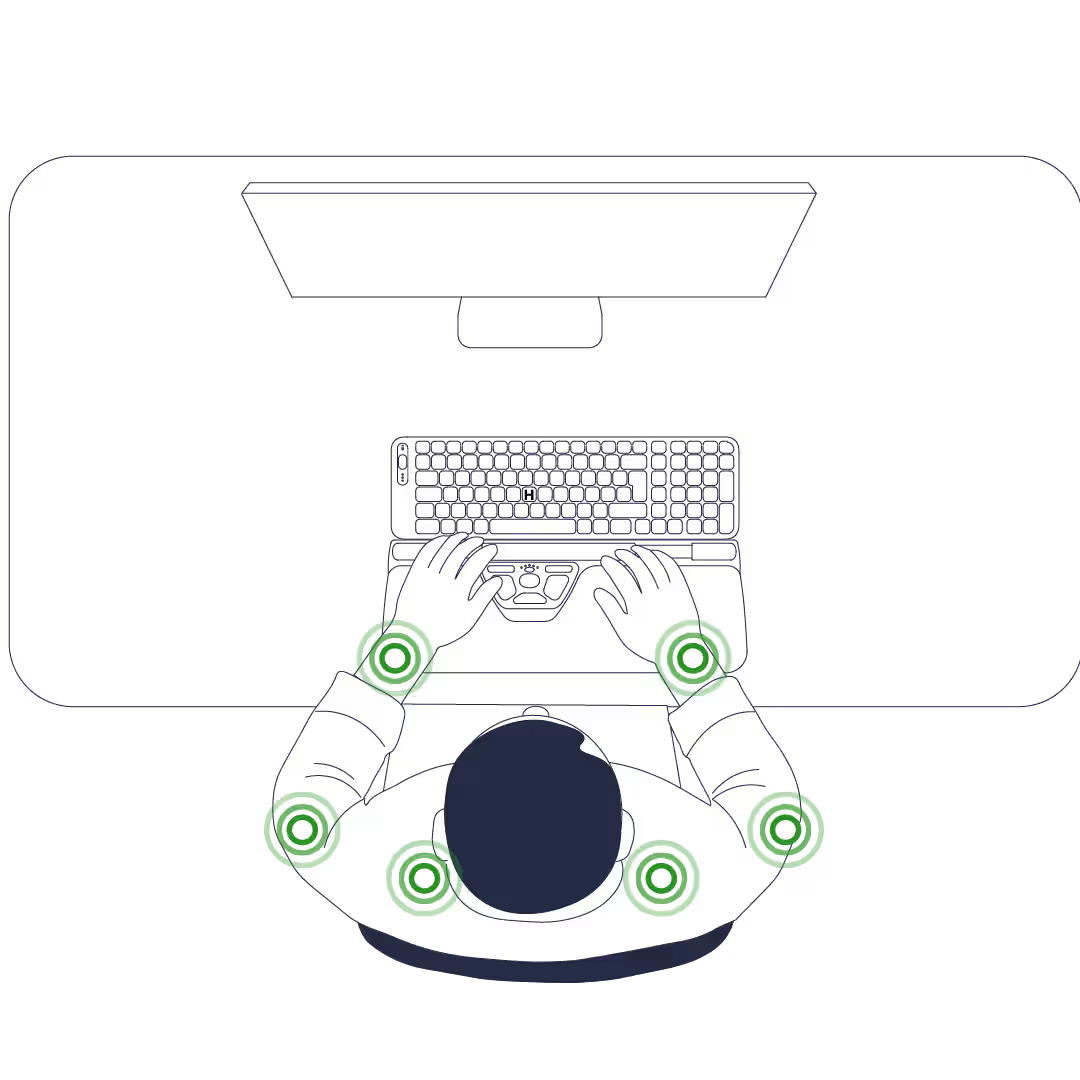
Try this: lay a pen across the back of your hand while you type. If it rolls off, your wrist is bent. While you're there, fold down the flip-out feet on the back of your keyboard, since they tilt the board up and hold your wrist cocked back all day. Aim to keep your forearms and wrists roughly parallel to the floor. The evidence that neutral wrist posture reduces mechanical stress is stronger than the evidence that any single workstation change prevents carpal tunnel syndrome on its own.
If you change nothing else this week, change this.
2: Lighten Your Grip and Click Force
Watch your own hand for ten seconds. Most people clamp the computer mouse and pound the keys far harder than the task needs, and that extra force runs straight through the tendons crossing the wrist. Hundreds of clicks an hour. Thousands by Friday.
Hold the mouse the way you'd rest your hand on your knee: contact, but no squeeze. Watch your knuckles. If they go pale or your fingertips press white spots into the mouse, you're gripping too hard. Rest your fingers on the keys and type like you're tapping someone on the shoulder, not knocking on a door. Lighter touch, lighter tendon load, less pressure building where the nerve sits.
3: Break Up Repetitive Movements
Repetitive movements, plus force, are the combination that wears tissue down over time. The fix is not to work less. It is to stop asking the same few tendons to carry the entire day.
Mix heavy clicking tasks with a reading or a call block, and lean on keyboard shortcuts for a stretch so your mousing hand isn't doing every job. This matters beyond the keyboard, too. If your day runs on repetitive motions at a cash register, with vibrating tools, or long stretches at the steering wheel, those load the same tissues, so build variety into repetitive tasks wherever you can.
4: Take Frequent Breaks to Rest Your Wrists
Recovery happens in small, frequent doses, not one long lunch. So, interrupt the static load before it piles up, and give your wrists a rest periodically rather than pushing through.
For general sit-stand ergonomics, the Cornell Human Factors Lab suggests a 20-8-2 rhythm: roughly 20 minutes seated, 8 standing, and 2 moving. For your hands specifically, take short breaks every half hour or so. Drop your arms, slowly open and close your fists five times, and roll your shoulders back. Thirty seconds help reset the tissue before strain accumulates.
5: Set Up an Ergonomic Workstation
Willpower fades by mid-afternoon. A good ergonomic workstation never clocks out, so make a neutral posture the lazy default.
Raise or lower your chair until your elbows bend to about 90 degrees and sit close to your sides, with your forearms level with the desk. Let your shoulders drop. Set the top of your monitor at or just below eye level, about an arm's length away (20–30 inches). Keep your computer mouse and keyboard at the same height so neither hand reaches up or down. Here's the thing about people who keep their improvements: they are rarely the most disciplined, just the ones whose desk made the bad posture inconvenient.
6: Keep Your Wrists Warm
This one is small and may help with comfort. Cold stiffens the tendons and can make symptoms worse, which is why wrist trouble often feels louder in a chilly, over-air-conditioned office.
Keep your hands warm at your desk. If you work in a cold environment, fingerless gloves or a warmer layer over the wrists keeps the tissues loose and the blood moving. Low effort, and for most people, low risk.
7: Manage Health Conditions and Risk Factors
Carpal tunnel syndrome is not only a workstation story, pretending otherwise would be dishonest. Health conditions like diabetes, thyroid disorders, rheumatoid arthritis, pregnancy-related fluid retention, and higher body weight all raise the risk, because they increase the swelling and pressure around the nerve. Some risk factors, like genetics or an old wrist fracture, you simply cannot change.
Manage the medical conditions that are yours, with your doctor, and you lower your baseline before you ever touch a mouse. Groups like the Arthritis Movement publish solid wrist-care guidance if you want to read more. Already living with one of those conditions? Mention any hand tingling at your next checkup, because caught early it is far easier to stay ahead of.
Choose an Ergonomic Mouse That Keeps Your Wrist Neutral
Now the part you came for. In wrist pain, people reach for two things online: a vertical mouse, or a thumb trackball. Both chase the same goal: a more neutral wrist and less sideways travel than many people experience with a traditional side mouse.
A vertical, handheld design turns your palm inward toward a handshake angle, which can reduce forearm pronation. The Contour Design UniMouse adjusts from a 35° to 70° angle with a five-way thumb rest, so you set the angle to your hand. Its handheld shape keeps the fingertip control design work needs.
.avif)
A centered design addresses a different load. A traditional mouse often requires the arm to move sideways when you leave the keyboard. A centered bar like the RollerMouse Red sits in front of the spacebar, so both hands reach it straight on. This can reduce sideways reach and support a more neutral wrist position.
.avif)
About that trackball. It can ease mild, wrist-only symptoms by keeping the arm still. But thumb-operated trackballs can shift more work to the thumb, so people with thumb discomfort should be cautious. If thumb soreness is already part of the picture, our guide to thumb joint pain from computer use explains what's loading the joint and how to take pressure off it.
"I love how easy my arm feels throughout my day, and there's no more strain on my wrist that I got from using a trackpad." Mischa, Life Coach (uses UniMouse)
Honest line: A device lowers load and supports a neutral wrist. It is one tool in the stack, not a cure. Our guide to reducing pain with an ergonomic mouse covers the mechanics, and if you're weighing models, see the best ergonomic mouse options.
Wrist Stretches and Exercises to Support Wrist Comfort
Stretches are the supporting cast, never the lead. The evidence that they prevent carpal tunnel syndrome is mixed, and some movements can irritate an already-sensitive nerve. So start gradually, stay well short of pain, and stop anything that ramps up the tingling.
Prayer stretch. Press your palms together in front of your chest, fingers pointing up. Keeping the palms together, slowly lower your hands toward your waist until you feel a gentle stretch across both wrists. Hold 15 to 20 seconds.
Wrist extensor stretch. Extend one arm in front of you, palm down. With your other hand, gently press the back of that hand down and in toward your body until you feel a light pull along the top of the forearm. Hold 15 to 20 seconds, then switch.
Tendon glide. Hold your fingers straight up, then curl them into a hook, then a full fist, then flatten into a tabletop with knuckles bent and fingertips straight. Move through the shapes smoothly, five times. It is a simple stretch sequence that keeps the tendons sliding freely.
Your Wrist-Strain Reduction Plan: Start This Week
You don't need to overhaul anything today. A few small changes to your daily routine, in this order, do most of the work.
- Fix the wrist angle first. Fold down your keyboard feet, lower your pointer speed until you can steer from the elbow with a straight wrist, and run the pen-on-the-hand check.
- Dial in the chair and screen. Elbows near 90 degrees and close to your sides, forearms level with the desk, keep the top of the monitor at eye level and about an arm's length away.
- Plant one break trigger. Set a recurring 30 to 45 minute reminder to drop your arms, shake out your hands, and reset your shoulders.
- If a device makes sense, pick by pain pattern and commit. As a rough rule of thumb, wrist-focused discomfort may lead some users to try a vertical mouse, while shoulder, neck, or reach-related discomfort may make a centered device worth testing. Then give yourself a consistent trial period of about two weeks, because switching back and forth can make it harder to judge whether the new setup is helping.
If carpal tunnel is your main concern, our guide to which ergonomic mouse suits carpal tunnel symptoms walks through the trade-offs.
Carpal Tunnel Syndrome Treatment: When to See a Doctor
Everything above is for healthy or mildly uncomfortable hands. Some symptoms are a signal to stop tinkering and seek treatment instead. If mild symptoms have already crept in, our roundup of carpal tunnel relief at your desk covers the steps that ease them before they escalate.
See a doctor if numbness or tingling in your thumb, index, or middle fingers won't settle, if it disrupts your sleep, or if your grip is weakening and you're dropping things or struggling with usual activities. Left untreated, carpal tunnel syndrome can lead to permanent nerve damage and muscle damage at the base of the thumb, so earlier is genuinely better.
Treatment usually starts conservatively. A wrist brace worn at night keeps the wrist neutral while you sleep, and activity changes and physical therapy, including gentle nerve and tendon gliding, can relieve pain for many people. If symptoms persist, a clinician may suggest steroid injections to lower inflammation and swelling around the nerve. Orthopedic surgeons generally reserve surgery, a carpal tunnel release, for severe cases or symptoms that do not respond to other treatments. Caught early, symptoms can often be managed with conservative treatment before surgery is considered.
This article is general information, not medical advice. For any symptom that persists or worsens, get an individual assessment from a qualified healthcare professional.
Set Your Hands Up to Last
Prevention is not one heroic fix. It is a stack of small, frankly boring, choices that quietly protect your hands over the next decade of work. Pick the neutral-wrist habit and put it in place before you close this tab. If you're not sure which device matches your pain pattern, our Help Me Choose tool sorts it in about a minute. Your hands have a lot of typing left in them. Set them up for it.
Frequently Asked Questions
Can you prevent carpal tunnel syndrome completely?
Not with certainty, and any guide that promises otherwise is overselling. Some risk factors, like genetics and certain health conditions, sit outside your control. What you can do is reduce daily wrist stress and address modifiable risk factors with a neutral position, lighter force, frequent breaks, and an ergonomic workstation that supports the posture for you. Stacked together, those habits cut strain even when they can't guarantee prevention.
What is the best desk setup to avoid carpal tunnel?
Aim for a setup where a neutral wrist is the path of least resistance. Set your chair so your elbows bend to about 90 degrees and stay close to your sides, with forearms level with the desk. Keep the keyboard flat or tilted slightly away, place the computer mouse at the same height, and put the monitor about an arm's length away with the top at or just below eye level.
Do ergonomic mice prevent carpal tunnel syndrome?
They lower mechanical load and help you hold a more neutral wrist, but the evidence that any device prevents carpal tunnel specifically is mixed. A vertical handheld design can reduce forearm pronation; a centered design can reduce the sideways reach associated with a side mouse. Treat one as a useful tool in your prevention stack, not as a cure on its own.
How often should I take breaks to protect my wrists?
Short and frequent beats long and rare. Every 30 to 60 minutes, drop your arms, slowly open and close your fists five times, and reset your posture. For sit-stand work, the Cornell Human Factors Lab suggests roughly 20 minutes seated, 8 standing, and 2 moving.
Are wrist stretches enough to prevent carpal tunnel?
On their own, no. A simple stretch or tendon glide may ease stiffness or discomfort for some people, but stretches are not the main lever. The bigger ones are your workstation, your input device, your break habits, and how much force you use. Use stretches as backup, not as the plan.
What are the early symptoms of carpal tunnel syndrome?
The classics are numbness, tingling, or a burning feeling in the thumb, index, and middle fingers, often worse at night and enough to disrupt sleep. Some people notice a weaker grip or start dropping things. If those symptoms linger, see a doctor early, while conservative treatments are still wide open.

Not Sure Where to Start?
Answer a few quick questions, and we’ll match you with a device that works perfectly for your needs.

