
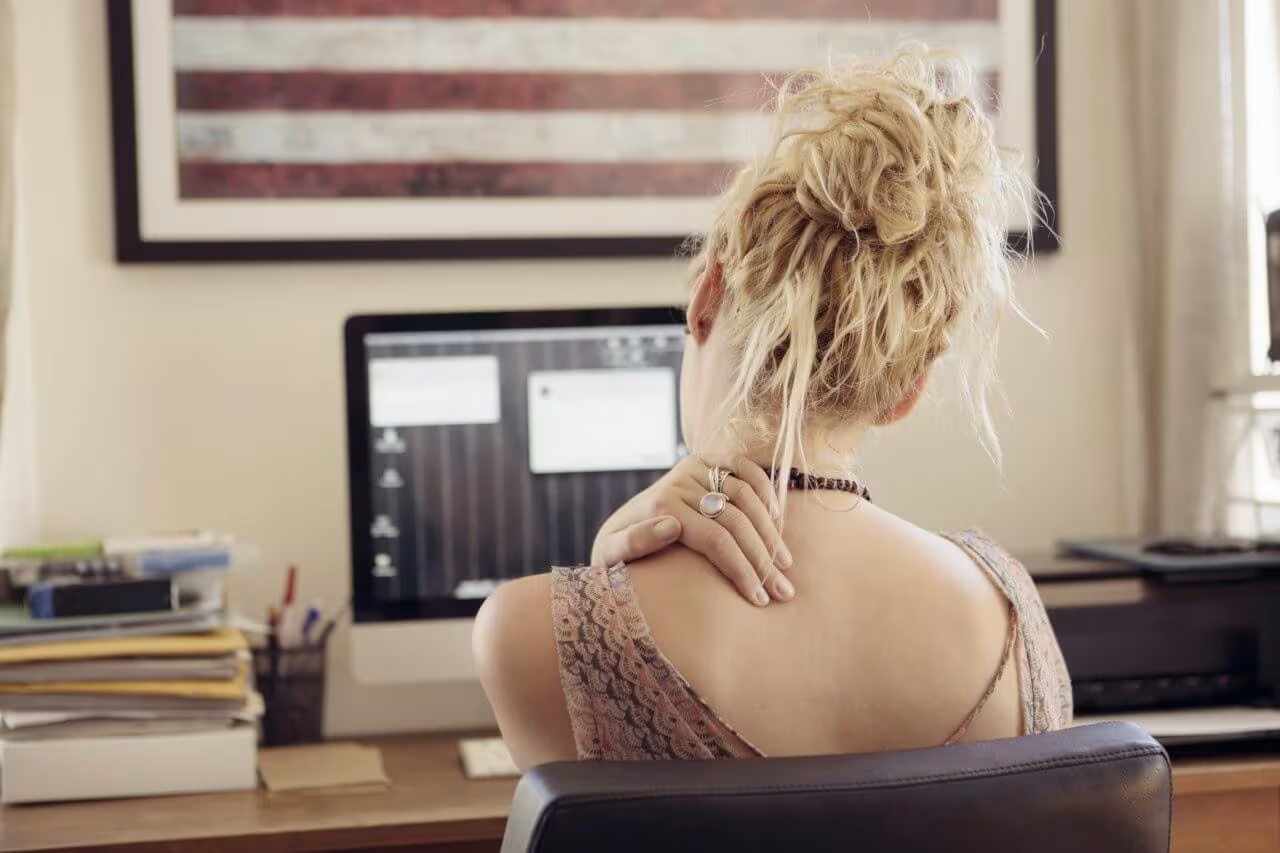
If your right shoulder blade aches by the end of the workday, often in one sore spot you can press with a finger, look at your mouse first. For right-handed people, right shoulder blade pain at a desk usually comes from the muscles that hold the mouse arm steady, hour after hour. Muscle strain from poor posture and an awkward mouse position is a frequent cause of shoulder blade pain at a desk.
Below, you'll see why the mouse side takes the load, how to find the muscle behind the sore spot and five changes to make at your desk. If the pain sits more in the shoulder joint itself, see our guide to shoulder pain at the computer.
Why does my right shoulder blade hurt at the computer?
If you're right-handed, your mouse probably sits to the right of the keyboard, past the number pad. Every time you reach for it, your right arm moves out to the side and forward. Your shoulder blade is the base that arm works from, so the muscles around it work the whole time to keep the blade steady.
OSHA warns that working with the mouse away from the keyboard for long periods "places stress on the shoulder and arm." It isn't heavy work. It's static load, with the same muscles holding the same position for hours. OSHA's guide to the work process adds that a workstation that makes you "repeatedly reach to use a mouse" can fatigue the muscles of the shoulder and irritate the tendons. Stress adds to it, because many of us tense our shoulders when work piles up.
If you use your mouse with your left hand, it's the left shoulder blade instead. Shoulder blade pain on the right side after a long day at the computer is a good reason to check your setup before anything else.
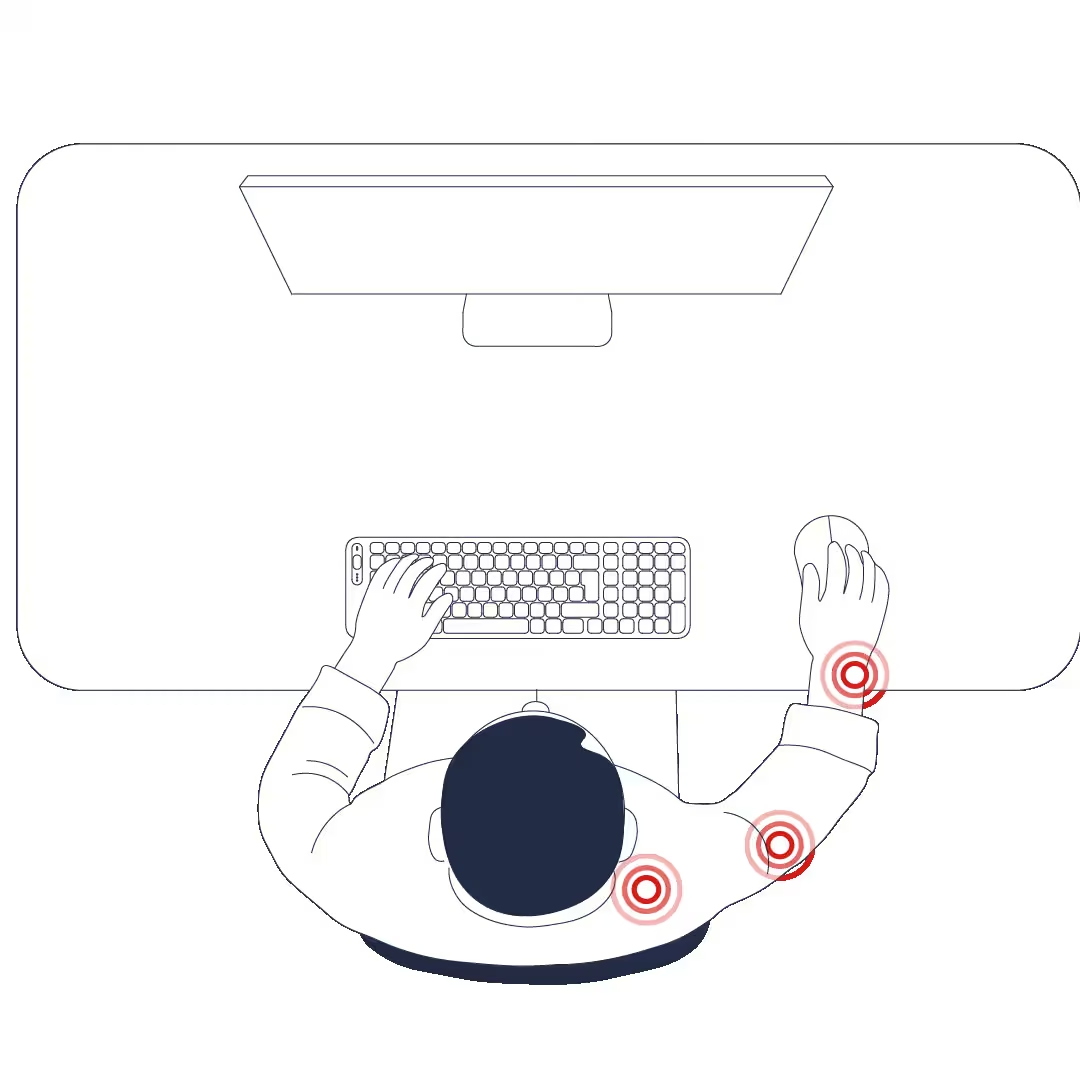
Try this now. Put your hand on your mouse and sit as you usually do, then look down at your right elbow. Is it farther out than the side of your body, or is your arm stretched forward? Move the mouse closer to the keyboard and notice whether your arm hangs more easily.
Find the muscle behind the sore spot
Your shoulder blade (scapula) is a flat, triangular bone at the top of your back. The shoulder blade muscles attach around its edges, which is why a sore spot often belongs to one particular muscle. Reach across with your left hand, find the spot and note whether it's close to your neck, along the edge nearest your spine or out on the blade itself.
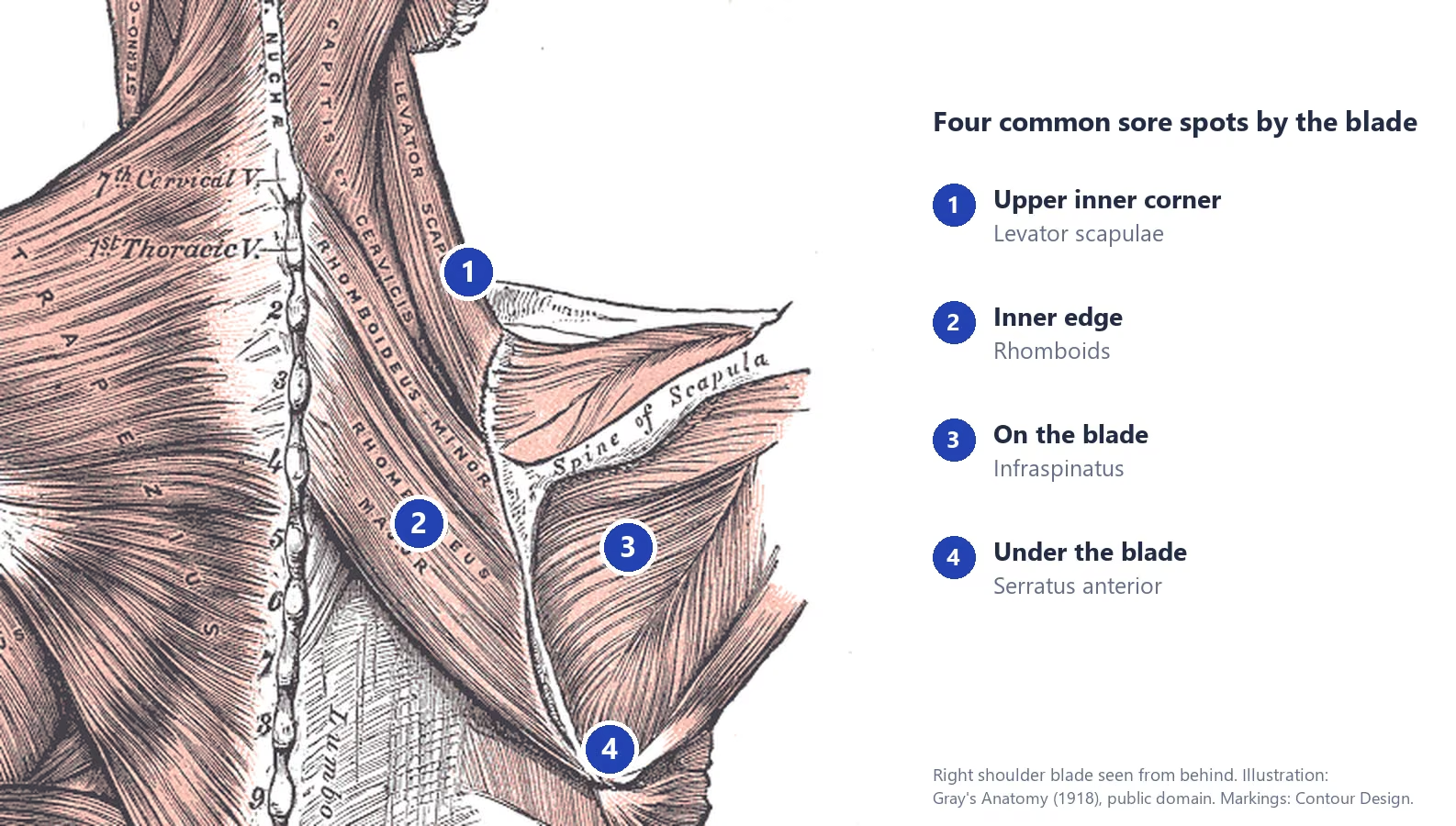
The trapezius lies over several of them and covers much of the area. Use the table as a guide, not a diagnosis, because the muscles sit close together.
Pain under the right shoulder blade
Two muscles sit under the blade. Subscapularis covers the underside of the shoulder blade itself and turns your arm inward. It's one of the rotator cuff muscles. Serratus anterior runs between the blade and your ribs and keeps the blade against your rib cage while you reach forward. Pain under the blade, toward the ribs, can come from either.
Pain behind the right shoulder blade
Pain behind the blade is often right at the inner edge, where the rhomboids lie deep under the middle trapezius.
A knot in your shoulder blade
The sore spot often feels like a small, tender lump in a tight muscle. That's a trigger point, which most people call a knot in the shoulder blade. Researchers don't fully agree on what trigger points are, and no single treatment for them has strong evidence behind it. A massage may feel good for a while, but the knot tends to come back if your arm keeps working out to the side every day. That's why the setup changes below come first. If the knot keeps coming back, ask a doctor whether physical therapy could help.
When it may not be your desk
This article is about muscle strain from computer work. Pain by the right shoulder blade can have other causes, including problems in the neck, the shoulder joint and, less often, organs in the chest or abdomen. You can't tell them apart from where it hurts.
The advice here fits best when the ache builds over the workday and changes with how you sit or where your mouse is. If the pain didn't start with desk work, this article may not explain it. If the pain is very bad, came on suddenly, keeps getting worse or comes with other symptoms, contact a doctor. In an emergency, call 911.
Right shoulder blade pain relief: 5 changes at your desk
Your mouse arm needs a rest, and your hand needs to work closer to your body. The goal is to relieve the strain on the muscles, not to push through the discomfort. Start with the free fixes from OSHA's computer workstations eTool, then look at your equipment.
1. Bring the mouse in
Keep your mouse right next to the keyboard and at the same height, so your arm doesn't reach out or up. OSHA points out that a keyboard without a number pad leaves more room for the mouse. It also suggests switching the hand you use the mouse with, which gives your right side a break.
2. Let your shoulders drop
Relax your shoulders and let your upper arms hang at your sides, with your elbows close to your body and bent between 90 and 120 degrees. Put your monitor straight ahead with the top at or slightly below eye level, as OSHA's monitor guidance suggests, so your head doesn't drift forward.
3. Support your forearms
In a one-year study of 182 call-center workers, a wide forearm support plus ergonomics training was linked to fewer neck and shoulder disorders and less neck and shoulder pain than training alone.¹ The study used another company's forearm support. A forearm support for your desk, such as Contour Universal ArmSupport, works on the same principle.

4. Put your pointing device in front of you
When your mouse sits to the right of the keyboard, your arm works out to the side. On a laptop, the touchpad sits in front of you, but an external mouse beside the laptop brings the same reach back. RollerMouse Red from Contour Design® sits right below your space bar instead:
- You don't reach out to the side for a mouse.
- Your hand barely travels between typing and pointing.
- There's nothing to grip, because your fingers roll the bar.
- Both hands share the work of moving the cursor.
Together, this reduces the repeated load on the same muscles and tendons. In a lab study, RollerMouse was associated with less lifting of the shoulder out to the side and forward than a mouse to the right of the keyboard, and with less reaching away from the keyboard.² Trapezius activity did not differ between the devices, so we won't promise that any muscle works less, only that your arm stays closer to your body. The study was small (12 people) and partly funded by Contour Design.
Balance Mid-Size Keyboard is designed for best-in-class typing and to match RollerMouse Red in width and height, so your wrists don't have to bend unnecessarily. The two snap together and work as one system. To compare more options, see our guide to the best ergonomic mouse. You can also ask your employer for equipment like RollerMouse Red and Balance Mid-Size Keyboard, since many have an ergonomics program.
5. Take short breaks and move
OSHA recommends frequent short breaks and suggests a five-minute break from computer tasks every hour to stand, stretch and move around. Gentle stretches can ease tension in your upper back muscles for a while. Here are two easy movement breaks. They aren't exercises to treat the pain, just a way to change position. Stop if you feel sharp pain or tingling down your arm.
- Shoulder rolls. Sit upright with your arms by your sides and slowly roll your shoulders backward in a large circle, 5 times.
- Self-hug stretch. Cross your arms and put your hands on the opposite upper arms. Reach gently forward so your upper back rounds slightly between your shoulder blades. Hold for 20 to 30 seconds, then switch which arm is on top.
As you make these changes, notice whether the ache builds less by the end of the day.

Frequently asked questions
Why does my right shoulder blade hurt when I use a mouse?
When your mouse sits to the right of the keyboard, your right arm works out to the side and forward. The muscles around your right shoulder blade hold that arm steady for hours, so they get tired and sore. Check where your elbow ends up when you hold the mouse.
What muscle is under the right shoulder blade?
Two muscles. Subscapularis covers the underside of the shoulder blade and is one of the rotator cuff muscles. Serratus anterior runs between the blade and your ribs and holds the blade against your rib cage. Levator scapulae, the rhomboids and infraspinatus sit around and on the blade, with the trapezius over several of them.
When should I worry about right shoulder blade pain?
If the pain is very bad, came on suddenly, keeps getting worse or comes with other symptoms, contact a doctor. In an emergency, call 911.
Does switching the mouse to my left hand help?
It can give your right side a break. OSHA suggests alternating the hand you use the pointing device with. Your left arm then does the reaching, though, so moving the device closer or in front of you helps both sides.
What kind of mouse is best for right shoulder blade pain?
It depends on how you work. For your shoulder blade, position matters more than shape. A centered device such as RollerMouse Red removes the reach to the side because it sits in front of your keyboard. It's an ergonomic accessory, not a treatment, so talk to a healthcare provider if the pain persists.
Can my keyboard make right shoulder blade pain worse?
It can add to it. A wide keyboard with a number pad pushes your mouse farther to the right, so your arm reaches out more. A compact Balance Mid-Size Keyboard keeps your mouse closer to your body, and it pairs with RollerMouse Red in front of the keys.
Check your elbow next time you sit down
If your right shoulder blade hurts at the computer, look at where your elbow ends up when you hold your mouse. If it's far out to the side, that's your first fix, whether you move the mouse closer or try a RollerMouse Red in front of your keyboard.
¹ Rempel et al. (2006), Occupational and Environmental Medicine: 182 call-center operators over one year, ergonomics training plus a wide forearm support compared with training alone. The study used another company's forearm support.
² Lin et al. (2015), Applied Ergonomics: 12 adults, RollerMouse Free2 compared with a standard mouse to the right of the keyboard during short computer tasks in a lab. Trapezius activity did not differ between the devices. The study was partly funded by Contour Design.
General information, not medical advice. RollerMouse Red and Balance Mid-Size Keyboard are ergonomic computer accessories, not medical devices. If you have pain or other symptoms, talk to a doctor or physical therapist.
Which Device Is Right for You?
Take a quick quiz and get a personalized recommendation based on how you work.

