
Mouse arm and repetitive strain injuries
Mouse arm is a repetitive strain injury (RSI) that develops from prolonged computer work using a traditional mouse and keyboard. If you experience pain in your shoulder, forearm, hand, or wrist while working at your desk, you likely have mouse arm. The term covers multiple conditions—including carpal tunnel syndrome and De Quervain's syndrome—that share a common trigger: repetitive computer use combined with poor ergonomic positioning.
Key Takeaways
- Definition: Mouse arm is a repetitive strain injury caused by prolonged, repetitive computer work; it's an umbrella term for conditions like carpal tunnel syndrome and De Quervain's syndrome.
- Common symptoms: Pain, burning, and stiffness in the shoulder, forearm, wrist, and hand; reduced grip strength; swelling in the hand and arm.
- Primary cause: Static, repetitive computer work—especially prolonged mouse use, typing, and poor desk posture—strains muscles and tendons over time.
- Prevention strategy: Optimize your workspace ergonomics: desk height, chair position, mouse type, and keyboard placement, combined with regular movement breaks and targeted exercises.
- Treatment approach: Rest, ergonomic adjustments, physical therapy exercises, and switching to ergonomic tools like vertical or centred mice can significantly reduce pain.
What Exactly Is Mouse Arm?
"Mouse arm" is a public term that's easier to use than clinical names like carpal tunnel syndrome (CTS) or De Quervain's tenosynovitis—two of the many conditions it encompasses. The term is intuitive because the mouse is often a key trigger for the injury. However, mouse arm refers to a broader range of repetitive strain injuries.
Both CTS and De Quervain's syndrome are often caused by strains and congestion that trigger inflammation in muscles or tendons. The inflamed tissue swells and becomes sore. Mouse arm can also stem from a pinched nerve or myositis (local muscle pain from muscle contraction).
Source: Bauerfeind

Symptoms of Mouse Arm and RSI
Mouse arm symptoms vary by underlying condition but typically include:
- Pain in shoulder, forearm, wrists, and/or hand
- Pain that worsens with repetitive or static work
- Burning sensation in the shoulder or forearm
- Soreness in hand and arm when touched
- Stiffness in shoulder, elbow, and hand joints
- Pain in shoulder, elbow, and hand joints
- Reduced grip strength and reduced movement range
- Swelling of hand and fingers
Source: Move Beyond

Most Common Conditions Linked to Mouse Arm
Mouse arm typically involves one or more of these specific conditions:
- Carpal tunnel syndrome – compression of the median nerve in the wrist
- Cubital tunnel syndrome – compression of the ulnar nerve in the elbow
- Epicondylitis (tennis elbow) – inflammation of the lateral elbow tendon
- De Quervain's syndrome – inflammation affecting the thumb tendons
- Trigger finger – inflammation causing the finger to catch or lock
For detailed clinical information on these conditions, consult OSHA's guide to musculoskeletal disorders or speak with a healthcare provider.

How Does Mouse Arm Occur?
For most people, mouse arm develops gradually from prolonged static computer work. The combination of repetitive motion, poor positioning, and sustained muscle tension creates the perfect environment for strain injury.
Computer-Related Causes of Mouse Arm
- Long hours working in front of a computer with a traditional mouse
- Repetitive clicking, scrolling, and typing motions
- Precision work requiring fine mouse control
- Not resting your elbows on the desk while working
- Using a mouse that is too small or poorly designed for your hand
- Applying excessive force when clicking or typing
Mouse arm often develops because computer work isn't a natural position for the human body. You tend to sit in this position for hours without movement, and the repetitive motions—clicking, scrolling, typing—continuously strain muscles and tendons. Over time, this cumulative stress damages these tissues, causing pain and dysfunction.
Not Everything is the Computer's Fault
While computer work is the most common trigger in modern workplaces, other activities can also cause mouse arm. Have you recently started tennis, kayaking, or weightlifting? Unfamiliar and repetitive motions in sports or fitness can trigger RSI as well.
Other Causes of Mouse Arm
- Repetitive strain injuries from sports (tennis, kayaking, rowing)
- Repetitive heavy lifting or gripping activities
- Breastfeeding in an awkward position for extended periods
- Being overweight, which increases strain on joints
- Lack of strength training and general fitness
Source: OSHA Musculoskeletal Disorders (MSD) Overview

What You Should Know About Work-Related Mouse Arm Injuries
Mouse arm and related RSI conditions caused by workplace computer use can, in many cases, be treated as work-related injuries in the United States. If you've developed mouse arm symptoms that you and your healthcare provider believe are related to your job, you may have legal and workers' compensation options.
Is Mouse Arm Covered by Workers' Compensation?
In many U.S. states, computer-related repetitive strain injuries, including carpal tunnel syndrome and other forms of mouse arm, can be covered by workers' compensation when they are shown to be caused or aggravated by your job duties. To qualify for workers' compensation benefits, you typically must have evidence that:
- Your injury occurred during your employment and is reasonably connected to your job duties
- Your work activities and conditions (for example, many hours of mouse and keyboard use without adequate breaks or ergonomic support) contributed to the onset or worsening of your symptoms
- The injury has been evaluated and diagnosed by a healthcare professional
- You have documented the onset of symptoms and reported them to your employer within your state's required time frame
Workers' compensation is generally a "no-fault" system, which means you usually don't need to prove that your employer was negligent—only that the injury occurred and is work-related under your state's rules. However, documentation is critical.
What Documentation Do You Need?
To support a workers' compensation claim, gather:
- Medical documentation: Doctor's diagnosis, medical imaging results, treatment records, and occupational health assessments
- Workplace records: Photos of your workstation setup, including desk height, monitor position, keyboard placement, and mouse type
- Incident reports: Written documentation you've provided to your employer about your symptoms and concerns
- Correspondence: Emails or memos to your employer expressing concern that work conditions were causing or worsening your pain
- Personal records: A log or diary documenting when symptoms started, how they progressed, and how they affected your work performance
Next Steps if You're Injured
Report your injury promptly: Notify your employer and HR department as soon as you experience work-related pain. Most states have strict timelines for injury reporting—often around 30 days, and sometimes shorter—so it's important to check the specific deadlines that apply in your state.
Seek medical evaluation: See a doctor or occupational health specialist. Request that medical records document the work-related cause of your injury. Many doctors specializing in occupational medicine or MSDs can provide detailed reports.
File a workers' compensation claim: Contact your state's workers' compensation board or your employer's HR department. Forms and procedures vary by state. Your state's Department of Labor website lists procedures—for example, the U.S. Department of Labor provides links to state-specific information.
Know your rights: Federal and state laws protect workers with job-related injuries. The Americans with Disabilities Act (ADA) may also apply, requiring your employer to provide reasonable workplace accommodations if you have a diagnosis like carpal tunnel syndrome.
Important Note: Workers' compensation laws and procedures vary significantly by state. Each state maintains its own workers' compensation program. For specific procedures and eligibility in your state, contact your state's workers' compensation board or your state's Department of Labor office. You can find your state's specific information through the U.S. Department of Labor's links to state workers' comp agencies.
How Do You Prevent Mouse Arm and RSI?
The good news: mouse arm is highly preventable. When it's caused by computer work, prevention and treatment follow the same principles—optimizing your workspace ergonomics.
Ergonomic Optimization
Proper ergonomics is your first line of defense. Read our comprehensive guide on ergonomics for computer work to ensure your desk, table, chair, keyboard, and mouse are all correctly positioned. Key areas to assess:
- Desk and monitor: Monitor should be at eye level, 20–26 inches away
- Chair: Feet flat on floor; back supported; elbows at 90 degrees when typing
- Keyboard and mouse: At elbow height; forearms neutral (not bent up or down)
- Wrist position: Keep wrists neutral (straight) when typing and using the mouse
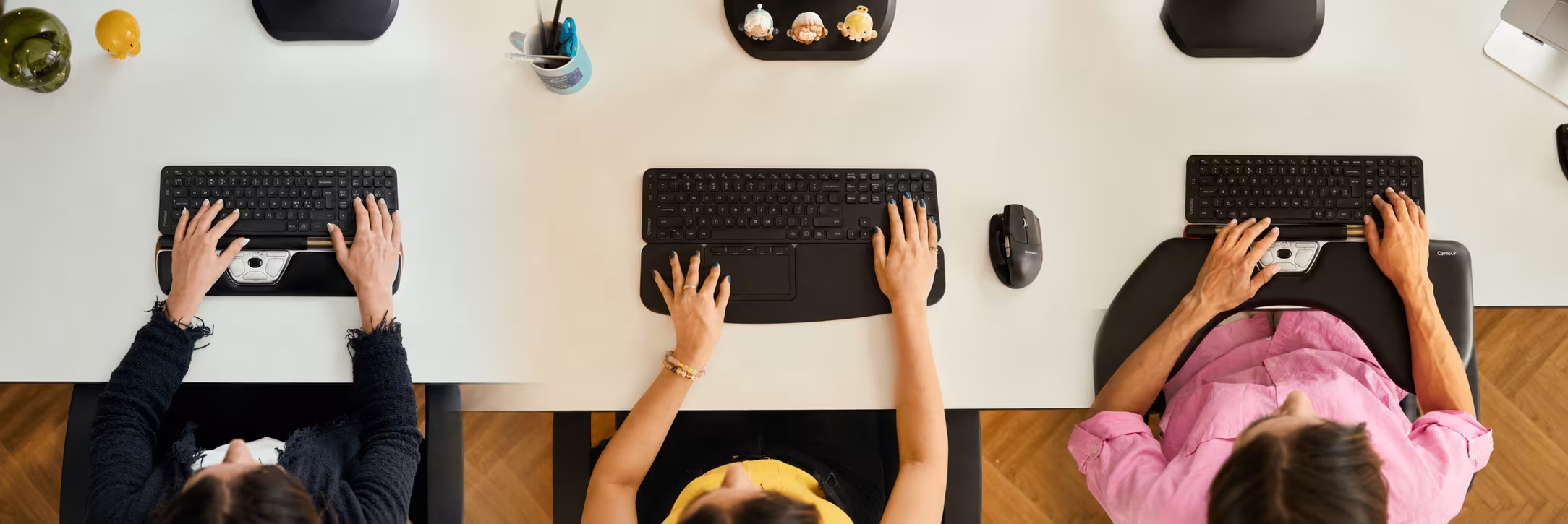
One of the most effective interventions is switching to an ergonomic mouse. Ergonomic mice like vertical or centred mice reduce wrist deviation and forearm rotation, significantly lowering strain on tendons and nerves.
Exercise and Movement
Regular exercise and movement breaks are essential for preventing mouse arm. When you work your muscles, your body builds strength and endurance to handle the demands you place on it—including hours at a computer.
If you're prone to RSI, try these desk-friendly exercises. Perform these 2–3 times per week, or daily if you're experiencing early symptoms.
Shoulder Exercise with Resistance Band
- Tie the middle of a fitness band to a door handle and face the door
- Grab the end of the band in each hand and pull it back without bending your wrists
- Let your arms slowly return to the starting position
- Repeat for 12–15 repetitions
Shoulders and Back Exercise
- Stand with feet shoulder-width apart, back straight, holding the end of a resistance band in each hand at your sides
- Keep thumbs pointing forward and elbows slightly bent
- Stretch your arms overhead and apart, pulling the band taut
- Hold for 1–2 seconds, then slowly return to starting position
- Repeat for 12–15 repetitions
Forearm and Wrist Exercise
- Sit at your desk with a resistance band laid out straight in front of you
- Rest your forearms on the desk with palms down
- Grasp the band at each end and cross your arms (right arm on top)
- Rotate your right hand away from your left, creating tension in the band
- Hold for 1–2 seconds and return to the starting position
- Repeat with your left arm on top
- Perform 12–15 repetitions on each side
Remember: These exercises are preventative and for mild symptoms. If you have significant pain, consult a physical therapist or occupational health specialist for a personalized exercise program.
Frequently Asked Questions About Mouse Arm and RSI
Can mouse arm go away on its own?
Early-stage mouse arm can improve with ergonomic changes and rest breaks, especially if caught within the first few weeks of symptoms. However, if left untreated for months, symptoms typically worsen. Professional treatment—including physical therapy, ergonomic assessment, and sometimes anti-inflammatory medication—yields much faster recovery. Don't wait; address symptoms early.
How long does it take to recover from mouse arm?
Recovery time depends on severity and how quickly you intervene. Mild cases may improve in 2–4 weeks with ergonomic fixes and rest. Moderate cases typically require 1–3 months of physical therapy and ergonomic adjustments. Severe cases (like advanced carpal tunnel) may require 3–6 months or longer, and in rare cases, surgery. Consistency with ergonomic changes and exercises significantly speeds recovery.
What's the difference between mouse arm and carpal tunnel syndrome?
"Mouse arm" is an umbrella term for any repetitive strain injury caused by computer work. Carpal tunnel syndrome is a specific condition where the median nerve is compressed at the wrist, causing pain and numbness in the thumb and first three fingers. Carpal tunnel syndrome is one of the most common diagnoses under the "mouse arm" umbrella, but mouse arm can also include De Quervain's syndrome, cubital tunnel syndrome, and other RSIs.
Can I prevent mouse arm if my job requires constant mouse use?
Yes. Constant mouse use doesn't guarantee mouse arm if you have proper ergonomics, take regular breaks, and strengthen the supporting muscles. Key prevention strategies: use an ergonomic mouse (vertical or centred), maintain neutral wrist position, take a 5-minute break every hour, perform stretching exercises daily, and ensure your workstation is set up correctly. Many office workers use mice continuously without developing RSI because they follow these practices.
Should I see a doctor if I have early mouse arm symptoms?
Yes, it's wise to see a healthcare provider early. Early intervention—physical therapy, ergonomic assessment, and sometimes anti-inflammatory treatment—can prevent the condition from progressing to chronic pain or nerve damage. Your doctor can confirm whether you have carpal tunnel, De Quervain's syndrome, or another RSI, and recommend the appropriate treatment. For work-related injuries, medical documentation is also important for potential workers' compensation claims.
Your Action Plan: Prevent and Treat Mouse Arm Today
Mouse arm doesn't have to be a permanent part of your work life. Start today by assessing your ergonomics. If your workstation isn't set up correctly, the best first step is to upgrade to an ergonomic mouse or keyboard—small investments that can eliminate pain in as little as 1–2 weeks.
If you're already experiencing symptoms, don't wait. Contact a healthcare provider for diagnosis, and begin ergonomic adjustments and exercises immediately. Most people who take action early recover well.
Ready to optimize your workspace? Use our complete home office setup guide or explore ergonomic workstation solutions.