

De Quervain’s Tenosynovitis is one of the most common repetitive strain injuries affecting computer users today. It occurs when the tendons running along the thumb side of the wrist become irritated, often due to long periods of computer work and repeated mouse movements. For many people using a traditional mouse for many hours a day, even simple tasks like scrolling or clicking can quickly turn into discomfort, wrist pain, or persistent thumb pain.
As computer work becomes more demanding and frequent, choosing an ergonomic mouse that reduces strain is no longer optional. It’s essential for long-term tendon health.
This guide explains what causes De Quervain’s Tenosynovitis, how to recognize early symptoms, and how choosing a more ergonomic mouse setup — including vertical designs and alternative pointing devices — can help reduce stress on the tendons and support long-term comfort.
What Causes De Quervain’s Tenosynovitis?
Two tendons that help move your thumb run through a narrow space in the wrist region. When these tendons become irritated from repetitive stress, thumb squeeze, or inefficient wrist movements, they no longer glide smoothly. This can happen when the current mouse design doesn’t support the palm, forces too much grip, or requires less movement from larger muscles and more from smaller ones.
The condition is especially common in people who:
- Spend 6–10 hours a day on a computer or laptop
- Use most mice that keep the forearm rotated instead of in a natural position like the handshake position
- Work with devices that require constant cursor control or clicking from the thumb
- Experience other RSIs such as mouse arm, carpal tunnel, or tennis elbow
As these wrist and forearm structures absorb repeated load, the tendon sheath thickens, causing inflammation, discomfort, and restricted movement.
Source: Mayo Clinic
Common Symptoms
People with de Quervain’s Tenosynovitis may notice:
- Swelling and tenderness at the base of the thumb
- Pain when gripping, pinching, or moving the wrist completely through its range
- A “sticking” feeling caused by restricted movement or inflamed tendons
- Pain worsened by narrow form factor mice or devices that increase wrist extension
These symptoms often appear gradually, especially during computer work with a mouse that doesn’t reduce strain.
Source: Mayo Clinic, AAOS
Early intervention with better ergonomics can significantly reduce symptom progression and support tendon recovery.
Why the Wrong Mouse Makes Symptoms Worse
Most people use a regular mouse that positions the hand flat on the desk. This form factor encourages wrist rotation, tight grip force, and repetitive motions — all contributors to repetitive strain injuries, mouse arm, and carpal tunnel syndrome.
Common issues with most mice include:
- Thumb-driven scroll wheels
- Narrow or oversized designs that don’t match hand size
- Buttons that demand force from the fingers or wrist
- A fixed hand posture that doesn’t let the muscles rest
- Movement isolated to the wrist rather than the whole hand and arm
Even seemingly minor choices — like a small forward button placement or stiff scroll wheel — can increase strain, especially for users with smaller hands or those who spend many hours on the computer.
If you’re already experiencing wrist issues or thumb pain, switching to a more ergonomic mouse for De Quervain’s Tenosynovitis can make a significant difference.
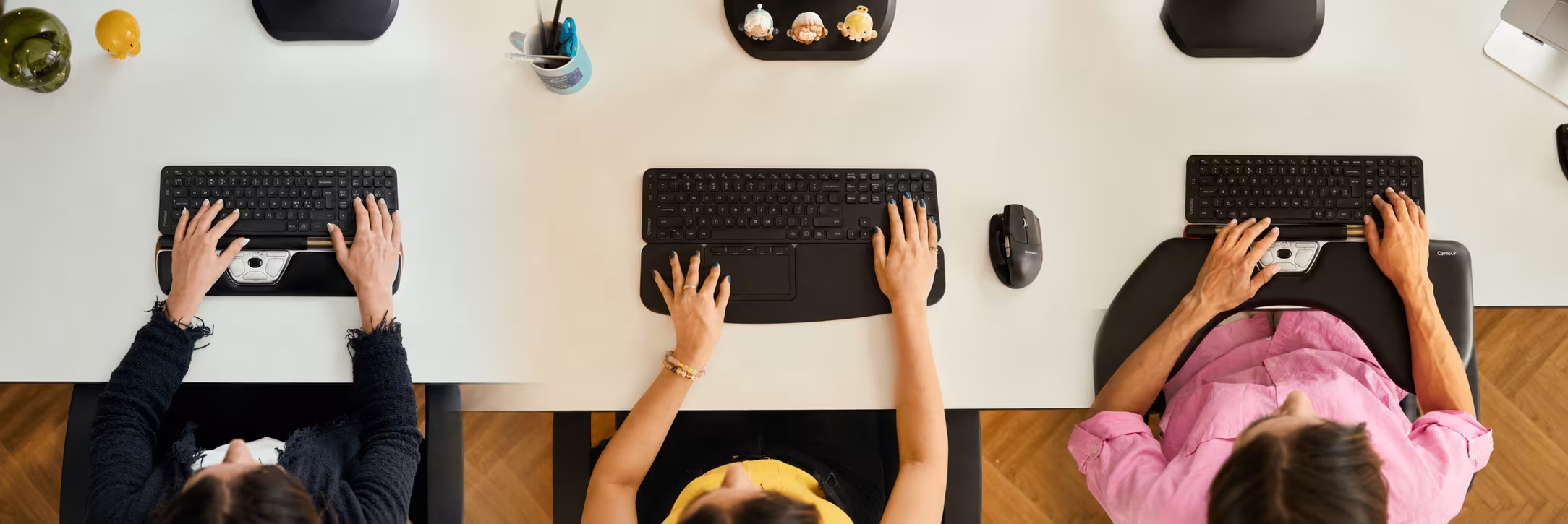

Ergonomic Options That Reduce Thumb Strain
Contour Devices creates ergonomic tools that support natural posture, reduce muscle strain, and minimize the need for extra movements. Below are solutions designed to address the key causes of tendon irritation.
Unimouse — Adjustable, Supportive, and Thumb-Friendly
The Unimouse is a highly adaptable ergonomic mouse with a vertical design that encourages a more neutral position — similar to a handshake position — rather than a palm-down posture. Its articulated body and adjustable thumb rest allow you to create a custom fit for your right hand or left hand, reducing unnecessary grip force.
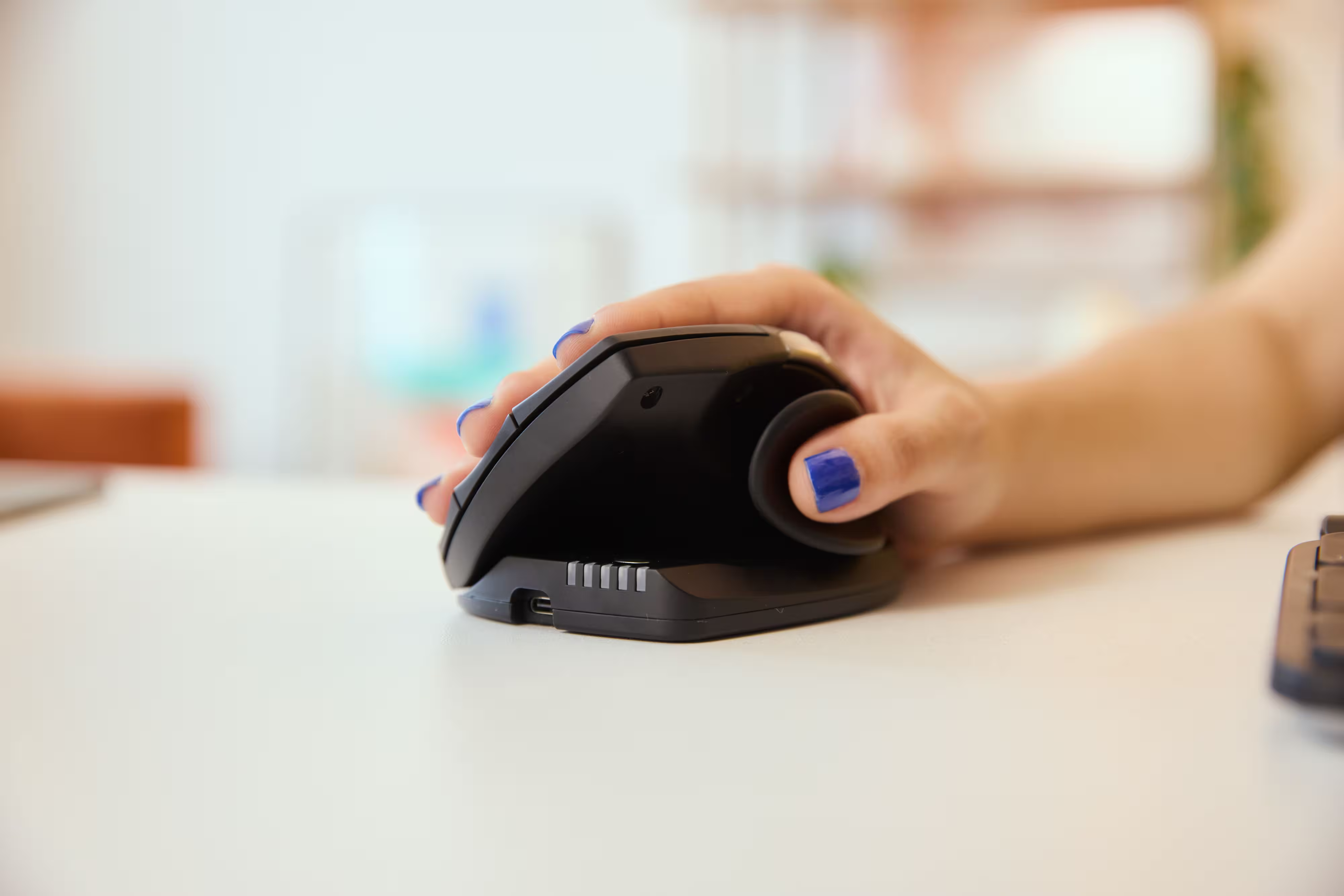
Unlike many vertical mice that offer only one fixed angle, Unimouse allows micro-adjustments so users can reduce strain based on their unique comfort level and task demands.
- Thumb rest keeps the joint supported and reduces strain
- Adjustable angles decrease radial deviation and forearm pronation
- Natural position reduces pressure on tendons and muscles
- Programmable buttons offer customization for frequent tasks
- Ideal for users transitioning from a standard mouse with minimal learning curve
For people dealing with thumb pain or early symptoms of De Quervain’s Tenosynovitis, the Unimouse provides the comfort of a vertical mouse without feeling oversized or unfamiliar.
RollerMouse: A Central Control Solution
For users who want to experience a new way of mouse control that eliminates RSI related pain, the RollerMouse offers a design unlike most mice. It sits directly in front of the keyboard, allowing you to control the pointer with a central roller bar using both hands.
Read More About RollerMouse
This centered form factor removes the need for gripping, lifting, or reaching across the desk — three motions strongly associated with tendon irritation.
- Requires less movement and no grip
- Eliminates strain from scroll wheels
- Reduces stress on thewrist, neck, shoulder, and forearm
- Allows ambidextrous input, distributing effort across the whole hand and forearm
- Ideal for users with carpal tunnel, mouse arm, or chronic wrist pain
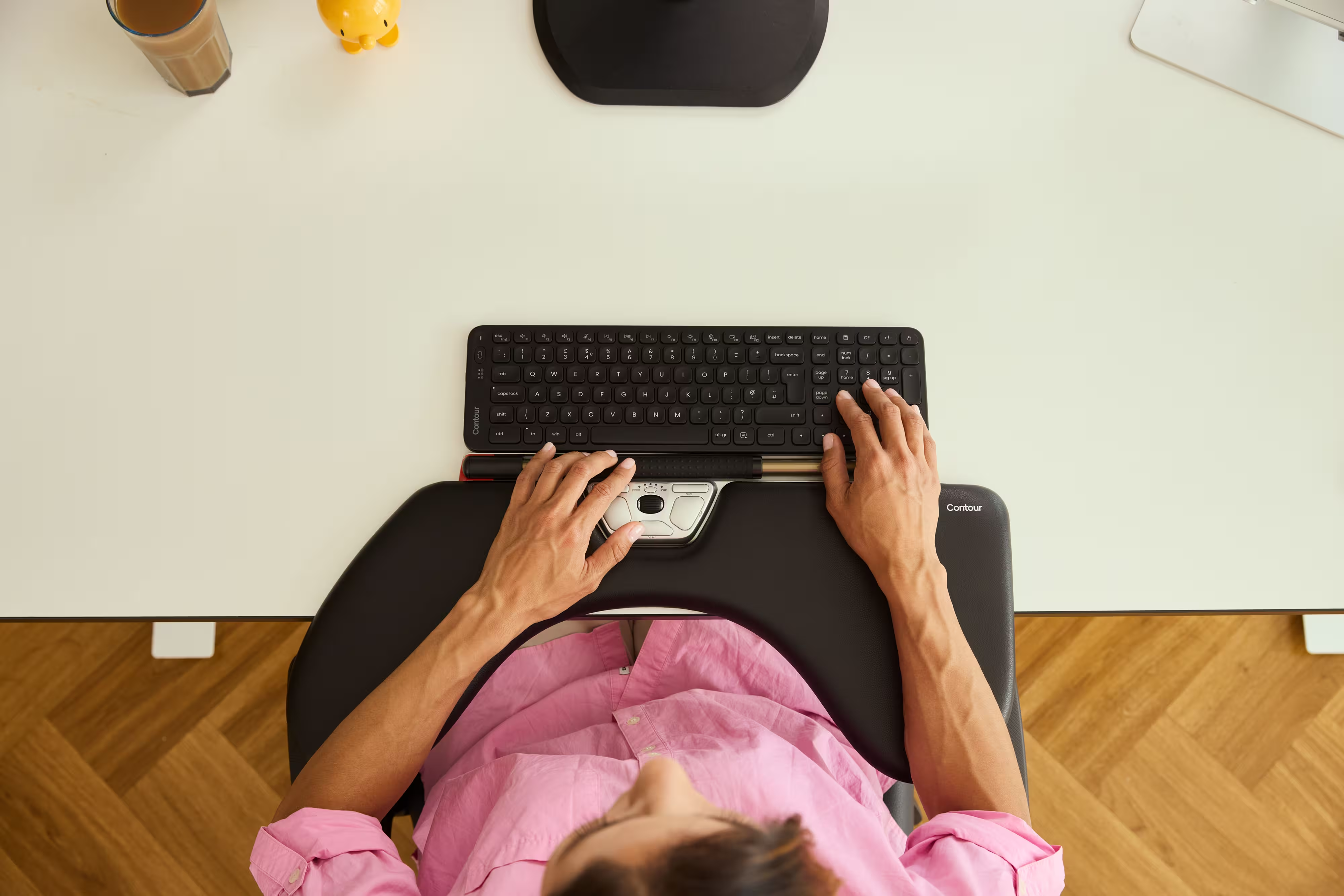
Because no thumb-driven movement is required, many people with severe De Quervain’s find this to be the best mouse option for pain relief.
It is also a great alternative for users who have tried vertical mice but still experience discomfort due to thumb involvement.
Click here to get a free RollerMouse demo
Balance Keyboard + RollerMouse + Unimouse: A Flexible, Low-Strain Setup
For the most adaptable workstation, using the Balance Keyboard with both the RollerMouse and Unimouse creates a system that supports varied movement throughout the day.
- RollerMouse handles daily tasks with minimal effort
- Unimouse offers precise control for tasks requiring high precision
- Switching devices reduces repetitive motions and stress on specific tendons
- Compact keyboard matches RollerMouse perfectly
- Suitable for smaller hands, left-handed users, and those needing multiple workflows
Alternating between devices reduces overall strain on the thumb, wrist, and forearm — a key strategy for managing repetitive strain injuries and preventing flare-ups during long hours of computer work.
.avif)
More Ways to Protect Your Wrists and Thumb
Along with switching to a more ergonomic mouse, small adjustments can go a long way:
- Take short breaks every 30–45 minutes
- Keep your keyboard and mouse close to your body
- Relax your grip—don’t pinch or squeeze the mouse
- Maintain a neutral wrist instead of bending it upward
- Adjust your chair height so your forearms stay level
- Stretch your fingers, forearms, and hands throughout the day
These simple habits reduce cumulative strain and help your tendons recover between tasks.
Which Device Is Right for You?
Take a quick quiz and get a personalized recommendation based on how you work.

