
Are Ergonomic Mice Worth It? What Our Data Shows
Start with whether buyers are happy. Across 1,425 verified reviews of Contour ergonomic mice, the average rating is 4.18 out of 5, 76 percent of people rated them 4 stars or higher, and 62 percent gave a full 5 stars. That is a high satisfaction rate for a product people buy to fix a problem, not for fun. Take the RollerMouse as one example. Across 818 reviews it averages 4.27 out of 5, and almost one in five owners bring up their shoulder without being asked, which tells you what the device is doing for them, easing upper-body strain rather than just feeling nicer than a traditional mouse. A customer survey points the same way. In a Denmark survey of 284 workers (Kvadrant and Opeepl), 86 percent of Contour users said their device relieved their pain and 87 percent would recommend it, though that is self-reported, not a clinical trial.
Now the problem side, because a fix is only worth paying for if the problem is real. Of 270 people who finished our workplace ergonomic assessment, 93 percent scored at high or critical risk. So the typical reader weighing an ergonomic mouse is not imagining the strain. It is widespread, and for many it is already serious.
There is a third signal, and it points at the part people get wrong first. Across more than 1,600 completed sessions of our own product-matching tool in the US and Europe, wrist and hand pain is the most reported spot, ahead of neck and shoulder. You would expect that to send most of those people to a vertical mouse. It does not. Our matching logic still points about 84 percent of them to a centered RollerMouse or SliderMouse, and only about 1 in 7 to the vertical UniMouse. Where it hurts alone does not decide the right device, which is why the rest of this guide spends more time on the mechanism than on labels.
Put the three together and the case is simple. A device people rate highly, aimed at a problem most desk workers in pain actually have, matched by a process that looks past where it hurts to why. The one real catch is the match. Not everyone gets the same result, and the wrong ergonomic mouse can move the pain rather than ease it, which is what the rest of this guide is about.
On this page:
- Are ergonomic mice worth it
- Do ergonomic mice work
- Why an ergonomic mouse can move the pain instead of ending it
- Where is your pain? A quick guide to matching the mouse
- What are the benefits of an ergonomic mouse?
- Which ergonomic mouse helps with RSI?
- Does an ergonomic mouse pay for itself?
- How to choose the right ergonomic mouse for you
Are ergonomic mice worth it?
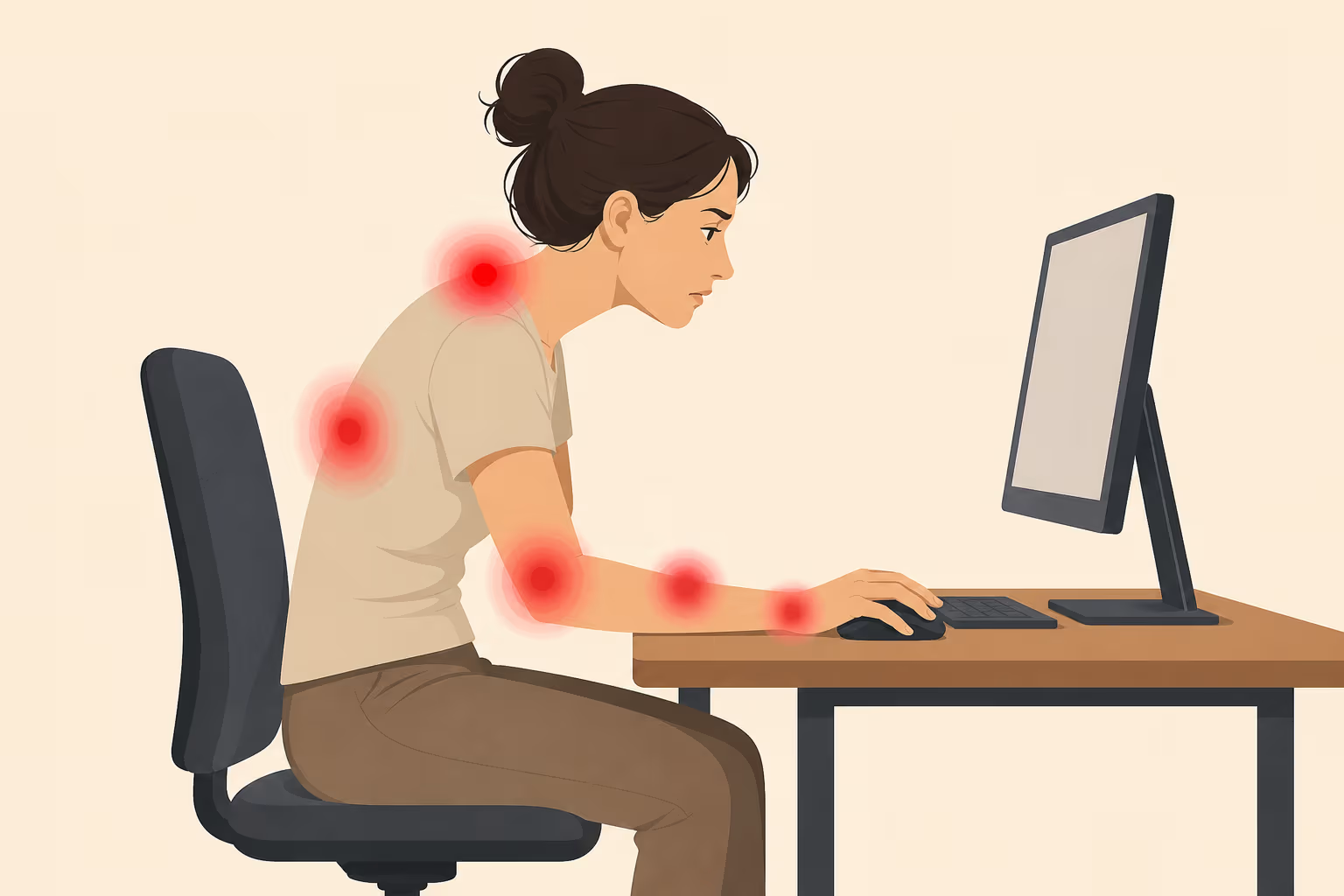
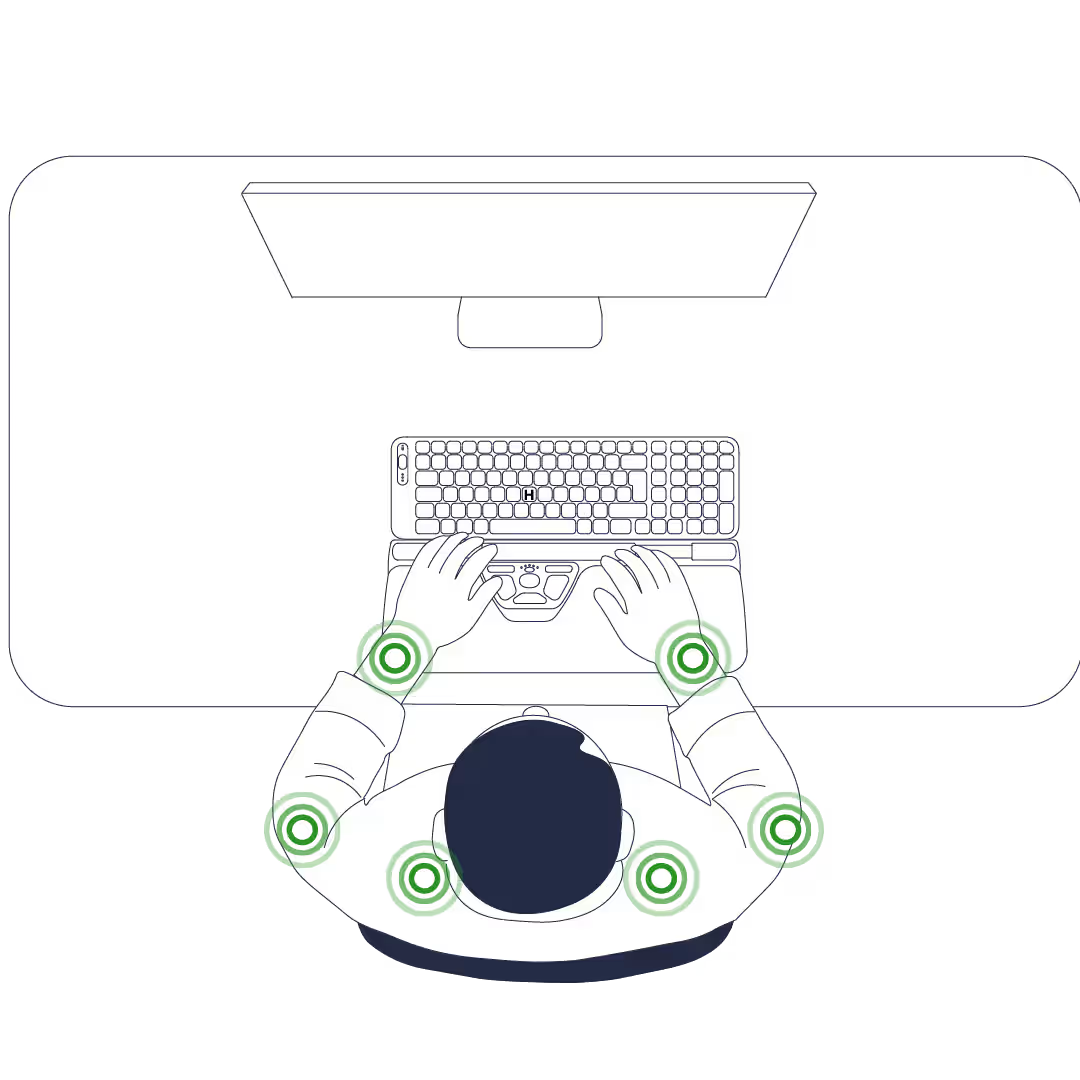
For a heavy computer user with pain, often yes, but it depends on what is hurting and why. A centered device like the RollerMouse removes the sideways reach to a side mouse and eases the shoulder, forearm, and wrist together, so it helps with more than upper-body pain. If the wrist or forearm is the main problem, or you want to set your own angle, the vertical UniMouse may suit you better. Match the device to the pain, and to why it hurts.
That last point is the one most buying guides skip. A device is not automatically better because the box says ergonomic. The wrong ergonomic mouse can move your pain somewhere new rather than ease it. So before you spend anything, the useful question is not "which mouse has the best reviews," it is "which part of my hand or arm is already doing too much." Get that right and the rest follows.
If you have no pain yet and you are trying to stay ahead of it, the same logic applies. Pick for how you work and where you tend to feel strain first.
Do ergonomic mice work?
Yes, though "work" means a measurable change in posture and muscle load, not a cure. Of the input devices measured in the lab, a centered rollerbar placed the least load on the muscles, a conventional mouse fell in the middle, and a touchpad the most.
How much does a centered mouse cut muscle load?
The individual studies behind that ranking line up by measure. On posture, a 2015 study of 12 adults at the Harvard School of Public Health (Lin, Young, and Dennerlein, funded in part by NIOSH, the National Science Foundation) found a centered rollerbar cut shoulder abduction, the sideways lift of the arm, from 14 degrees with a conventional mouse to 7 degrees, and lowered forearm extensor activity by about 21 percent (8.7 down to 6.9 percent of maximum effort). On upper-body muscle load, a 2008 randomized trial at Luleå University (Kumar and Kumar) measured anterior deltoid activity about 79 percent lower (7.76 down to 1.65 percent of maximum) and trapezius activity about 37 percent lower (12.50 down to 7.93 percent) with a roller bar mouse than a conventional one. And in the ranking above, the RollerMouse needed the least muscle activity of the ten devices tested, about 27 percent below a conventional mouse.
The evidence is moderate rather than overwhelming, which is worth saying plainly. A 2018 systematic review of controlled trials in Cogent Engineering (Radwan and colleagues) concluded that alternative mouse designs show moderate benefits, stronger when paired with ergonomics training, and that a roller-bar mouse may be a good choice for a more neutral shoulder position. The most consistent thread is preference and comfort. In a 2015 study at the University of Siegen (Kluth and Keller), 24 users unequivocally preferred the rollerbar over a standard mouse. None of this means an ergonomic mouse is a gimmick. It means the benefit is real but specific, and it shows up most where the design matches your problem.
Why an ergonomic mouse can move the pain instead of ending it
An ergonomic mouse lowers the load on the muscles you were straining. It does not raise how much your hand can handle. So the strain can shift somewhere new. A vertical mouse eases the forearm twist, then the thumb starts bracing to click and begins to ache instead. Where the pain lands depends on the design and on your hand.
Think of it as two sides of a scale. One side is how much load your tissues can take, which comes from conditioning, breaks, and your total daily workload. The other side is how much load each task adds. A better mouse lightens the load each hour, but it does nothing for the capacity side. That is why the people who get lasting relief pair the device with movement breaks and sensible hours, not the device alone. A 2006 randomized trial of 182 call-center operators (Rempel and colleagues) found that a wide forearm support combined with ergonomic training reduced upper-body pain and helped prevent new neck and shoulder disorders, more than training alone.
This is also why a fixed vertical mouse frustrates some people. A vertical design holds your hand in a natural handshake position, which lowers forearm pronation, the palm-down twist a flat mouse forces. The trade-off is that many vertical shapes still ask the thumb to pinch and brace, both to click and to keep the mouse steady, so the wrist eases while the thumb complains. A fixed angle never changes, so the thumb keeps doing the same work all week.
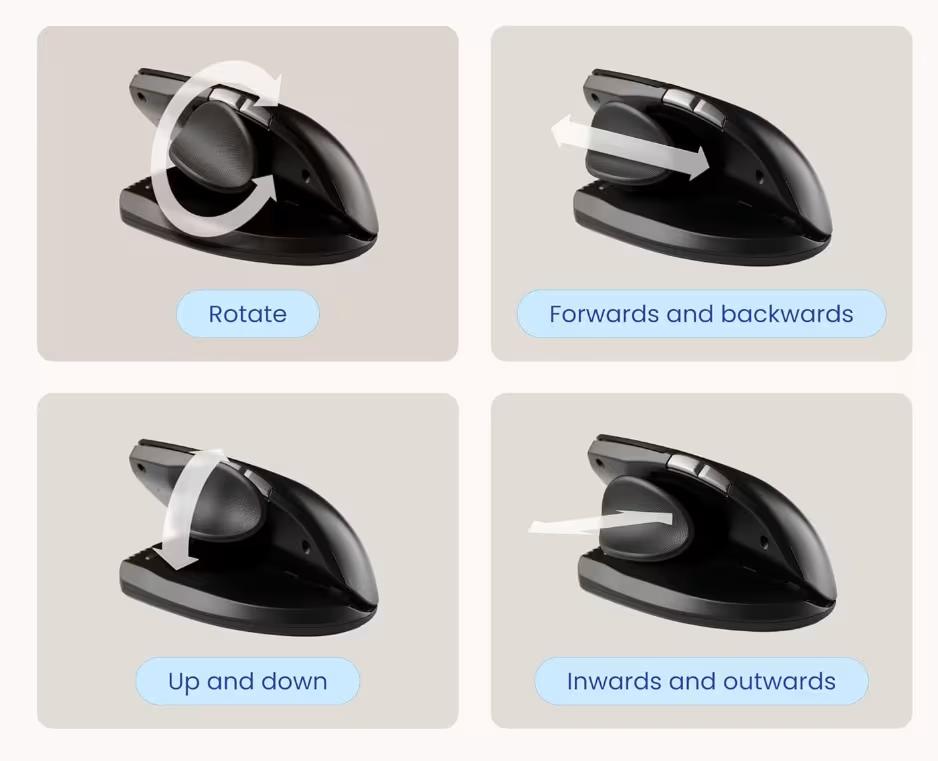
There are two practical ways around that. For wrist and forearm strain, an adjustable mouse lets you change the angle from day to day and spread the load rather than lock one spot; the UniMouse hinge moves from 35 to 70 degrees with an adjustable thumb rest. For grip strain and shoulder pain, a centered rollerbar has nothing to clutch and no thumb to brace, so the relief comes from removing the reach, not from changing your grip. The right ergonomic mouse depends less on the label and more on which part of your hand is already doing too much.
Where is your pain? A quick guide to matching the mouse
Start with where the strain sits, whether that is wrist pain, a sore shoulder, or an aching thumb. This is a guide, not a diagnosis, so see a clinician for anything sharp, numb, or persistent, and read more about mouse arm and repetitive strain injuries if your symptoms are spreading.
That last row matters. Pain on the pinky side often traces to nerve compression at the elbow or forearm rather than the hand, which is why a new mouse alone may not fix it; our guide to ulnar nerve entrapment and desk work covers that case. A thumb-operated trackball is another route some people like, since it moves the cursor without moving your arm, though it shifts the work onto the thumb. Fit matters too. A mouse that is too big for your hand makes you stretch and strain to click, so smaller hands often do better with a smaller or adjustable shape. Whatever you pick, remember that no mouse fixes a chair set too high or a screen set too low. For a fuller walkthrough that pairs each design with the pain it solves, see our guide to the best ergonomic mouse for 2026.
What are the benefits of an ergonomic mouse?
The main benefits are a more neutral posture and lower muscle load in the shoulder, forearm, and wrist, plus comfort that holds up over a long day. A centered mouse removes the reach to a side mouse. A vertical mouse lowers the forearm twist. Neither has to slow you down once you adjust. Those are the gains the research keeps pointing to.

A few specifics worth knowing. A centered mouse holds your hand in a more neutral wrist position and keeps a padded wrist rest, programmable buttons, and a scroll wheel right in front of you, so nothing pulls your hand off to the side, and because it sits in the middle it works as an ambidextrous mouse you can switch between hands. Adjustability does real work too, because a mouse you can re-angle lets you spread the load across different muscles instead of loading one spot all week, which is the most common complaint people have with fixed vertical shapes. In a 2019 analysis of six ergonomic mouse designs that Contour supported (Cappelletto, Foglia, and Lyons), the adjustable UniMouse was rated the most comfortable, with the lowest perceived effort and fatigue, and being able to tune the angle is what lets you spread the load instead of loading one spot.
There is also no speed penalty to fear. In that same 2019 analysis, the UniMouse reached the top tier for speed and accuracy, so you get the posture change with no loss of precision. Set realistic expectations on adaptation, though. The adjustment window varies widely, from a few days to a month or more, and a vertical mouse in particular takes time to relearn the click. Give a new device a fair trial. If it still hurts after that, it is the wrong fit for your hand, not a failure on your part.
"I now use a UniMouse, which has given me a much more natural hand position… My mouse and Laptop Riser have definitely reduced the tension in my neck and shoulders when I sit for long periods in front of the screen."
Niels Mertins · Consultant, uses UniMouse and Laptop Riser
Which ergonomic mouse helps with RSI?
RSI, or repetitive strain injury, is not a single condition but an umbrella term for several, from tendonitis to nerve trouble. An ergonomic mouse may help reduce the load that aggravates the symptoms, though it does not cure them. The right device depends on where the strain sits, so use the pain map above to match one to your pattern.
The problem is common enough to take seriously. In a 2023 Contour and Opeepl survey, about 1 in 3 computer users said they regularly feel pain in the neck, back, shoulders, wrists, or fingers, and broader European data from EU-OSHA in 2019 put musculoskeletal complaints at roughly 60 percent of workers. An ergonomic mouse can lower the load from the repetitive movements that sharpen those symptoms, which is different from saying it prevents or treats any specific condition. It eases the mechanical strain, while recovery still depends on rest, movement, and sometimes a clinician. If you want the device side condition by condition, our guide to ergonomic mice for RSI goes deeper, and it is worth understanding what carpal tunnel syndrome actually is before you assume any mouse will resolve it. One RollerMouse Pro user, the musician Steph Tranovich, said the device "has significantly reduced the pain in my hands, arms and wrists and has reduced the tension in my shoulders."
Does an ergonomic mouse pay for itself?
For a heavy computer user, the math usually turns on lost time, not the price of the mouse. Ergonomic mice can cost more than a regular mouse, so it is fair to ask whether that difference comes back to you. Pain that nags all afternoon slows you down, and that lost output adds up faster than the cost of better equipment.
Here is what the numbers suggest. In a 2025 Contour survey of 49 working professionals, of the 12 who put a number on it, self-estimated productivity loss from desk pain ran from 15 to 50 percent, with a median around 22 percent. That is a small, self-selected, self-estimated panel, so read it as a rough sense of how much pain costs the people who feel it, not as a figure for office workers in general. One respondent, Jon Morgan of Venture Smarter, tracked his own pain for three weeks and found that 70 percent of his wrist strain came from his mouse, not his keyboard. And the cost of letting a problem become an injury is real. The OSHA Safety Pays estimator puts the direct workers-comp cost of a single carpal tunnel case at roughly 30,000 dollars, with the exact figure depending on the inputs you enter.
Against that, the upside is meaningful even when stated conservatively. In a self-reported customer survey in Denmark (Kvadrant and Opeepl, 284 workers), 86 percent reported pain relief and 87 percent would recommend their device, with up to a 10 percent productivity increase. That is customer-reported, not a clinical trial, so treat it as direction rather than proof. Pair it with the point above that a centered device costs you no speed, and the picture is straightforward. The mouse pays off fastest when you also fix the cheap things around it, screen height and regular movement breaks, because the device lightens each hour while those habits protect the rest.
How to choose the right ergonomic mouse for you
Work from your pain pattern, then your work style. If you have shoulder, neck, or upper-body strain, or you mouse heavily all day, look at the centered RollerMouse collection, which sits in front of the keyboard so both hands reach it without the sideways stretch. If your strain is in the wrist or forearm, you want to set your own angle, you are left-handed, or you do precision and creative work, look at the adjustable UniMouse. If your pain is in the shoulder but you prefer finger gestures to a bar, the Contour Touch sits centrally like a roller bar and uses a glass surface instead. There is no single best ergonomic mouse, only the one whose shape and form factor fit your hand and your hours, and devices come in different shapes for a reason. If you type as much as you click, pairing your mouse with an ergonomic keyboard like the Contour Balance shortens the reach between the two. Most Contour devices connect by wireless dongle, USB, or Bluetooth, so they fit whatever setup you already run through long hours at the desk.
Then do the unglamorous part, because it does as much work as the device. Move the mouse from your arm and shoulder rather than flicking from the wrist. Keep a light, relaxed grip. Raise your cursor speed so your hand travels less. Support your forearm so its weight is not resting on one point. Remap a button for drag if you drag a lot, which cuts the clenching. Some people even rotate between two devices or switch hands through the day, which is one reason an ambidextrous centered device that works the same in either hand earns its place. If you are weighing options and want a shortcut, try the Help Me Choose tool, which has helped more than 1,600 people find the device that fits how they work.

Frequently asked questions
Do ergonomic mice cause thumb pain?
They can, especially fixed vertical mice. Clicking a vertical mouse often makes the thumb pinch and brace to keep the device steady, so the wrist eases while the thumb takes on more. If the thumb is your trouble spot, a centered or adjustable device usually suits better, because there is less to grip.
Why does my ergonomic mouse hurt in a new place?
Because a device lowers the load on the muscles you were straining, not your overall capacity, so the strain can shift to muscles that are not used to the work. That is normal in the first days. Pair the mouse with breaks and gentle conditioning, and re-angle it if you can.
How long until a new mouse stops feeling awkward?
An adjustment period is normal, often a few days to two weeks, though a vertical mouse can take longer because you relearn the click. There can be a real learning curve. Give it a fair trial of two to four weeks of daily use. If pain persists well past that, it is the wrong fit for your hand, not a failure on your part.
What if the mouse is too big for my hand?
Fit drives comfort. A mouse that is too large makes you stretch to reach the buttons and grip harder to control it, which creates strain of its own. Smaller hands often do better with a smaller shape or an adjustable one, where the angle and thumb rest move to fit you.
Will an ergonomic mouse fix my posture?
No. A mouse cannot correct a chair set too high or a screen set too low. It works best as one part of a setup that includes the right desk and screen height and regular movement. Fix those first, then let the mouse handle the load it is good at.
Are ergonomic mice just a gimmick?
No, but they are not magic either. The measured benefits in posture, muscle load, and comfort are real, and most users in our reviews rate their device highly. The catch is that the effect is specific, so a device only helps when its design matches what your hand is doing wrong.
The bottom line
Are ergonomic mice worth it? For a heavy computer user with the right match, usually yes, and our own reviews and the published research both point the same way. The trick is to choose by your pain pattern rather than the label, give the device a fair trial, and fix the screen height and breaks around it. Do that, and the ergonomic benefits tend to show up in fewer sore afternoons and steadier work.
This article is general information, not medical advice. If your pain is sharp, numb, persistent, or getting worse, see a clinician.