
Best Computer Mouse for Shoulder Pain: Find Real Relief at Your Desk
Your shoulder has been aching for weeks. You've tried stretching, adjusting your chair, even switching to a standing desk. But the moment you reach for your mouse, the tension creeps back in.
You're not imagining it. The best computer mouse for shoulder pain isn't just a nice upgrade, it can be the difference between working comfortably and watching your productivity slowly erode under a cloud of chronic discomfort. This guide breaks down exactly what causes mouse-related shoulder pain, what to look for in a solution, and which mouse designs actually deliver relief. For a broader overview, start with our guide to the best ergonomic mouse.
Key Takeaways
- The best computer mouse for shoulder pain is one that keeps your arm close to your body, minimizes lateral reach, and fits your hand size — small design details that compound into major relief over thousands of hours of desk work.
- Standard mouse placement forces your arm to extend past your shoulder's natural resting point, causing repetitive strain in the deltoid and trapezius muscles that builds into chronic pain over time.
- Centrally positioned mice, like the Contour RollerMouse Red, are the most effective solution for shoulder-specific pain because they eliminate sideways reaching and keep both arms in a symmetrical, relaxed position.
- Vertical mice improve wrist and forearm posture but do not solve the core reach-distance problem — making them a partial fix for shoulder pain sufferers who need a more targeted solution.
- Even the best ergonomic mouse for shoulder pain delivers limited results if your monitor, chair height, and keyboard placement are misaligned — a full workstation setup review is essential for lasting relief.
- Taking micro-breaks every 30–45 minutes and practicing simple rotator cuff exercises alongside switching to an ergonomic mouse gives your shoulder the best chance for a complete, sustainable recovery.
Why Your Mouse Might Be Behind Your Shoulder Pain

Most people assume shoulder pain comes from poor posture or an uncomfortable chair. But research published in PMC found a clear association between prolonged computer use and musculoskeletal disorders of the neck and upper extremity, and your mouse is one of the biggest contributors, a pattern often referred to as computer mouse shoulder pain.
The shoulder is, in fact, the most commonly reported area of discomfort among heavy computer users. And the culprit is often something as simple as where your mouse sits and how it asks your body to move.
The Link Between Mouse Design and Upper Body Strain
A standard mouse forces you to reach out and to the right of your keyboard, often past your shoulder's natural resting point. Every click, every scroll, every drag activates the deltoid and trapezius muscles in your shoulder. Do that for 6–8 hours a day, and you're essentially doing repetitive micro-reps with muscles that were never designed for that job.
Traditional mouse designs concentrate movement in the shoulder rather than distributing effort across your fingers, wrist, and forearm. A CDC-supported study evaluating pointing device designs confirmed that mouse type directly affects upper extremity posture and muscle activity, which means the shape and position of your mouse changes how hard your shoulder has to work.
Switch to a design that keeps your arm closer to your body and your elbow at roughly 90°, and that shoulder muscle activation drops significantly.
Common Shoulder Pain Patterns in Heavy Computer Users
If you're spending 6–10+ hours a day at a computer, you've likely felt at least one of these:
- Dull aching in the upper trapezius, that muscle running from your neck to your shoulder blade
- Sharp pain when reaching for the mouse after a break
- Tension that builds through the afternoon and peaks by end of day
- Numbness or tingling that radiates down the arm in more serious cases
These aren't random. They map directly to the postural habits a standard mouse creates. If you're also dealing with elbow tension alongside shoulder pain, computer mouse elbow pain causes and fixes often stem from the same root problem: a mouse that puts your arm in the wrong place.
Start here: Sit at your desk right now and notice where your mousing hand lands. Is your elbow flaring out? Is your arm reaching past a comfortable range? That observation alone tells you a lot.
What to Look for in an Ergonomic Mouse for Shoulder Pain
Not all ergonomic mice are created equal. Many products labeled "ergonomic" address wrist positioning but do almost nothing for your shoulder. Here's what actually matters.
Neutral Arm and Shoulder Positioning
The goal is simple: your arm should rest, not reach. An ergonomic mouse for shoulder pain should let your elbow stay close to your body, at roughly a 90–110° angle, with your upper arm hanging naturally.
When your elbow drifts outward or your arm extends past your torso to reach the mouse, your shoulder muscles activate constantly just to hold position. That sustained low-level tension is exactly what builds into chronic pain over time.
Look for a mouse that supports a neutral forearm position, meaning your arm isn't pronated (rotated palm-down) any more than necessary, and your shoulder isn't elevated or externally rotated to compensate.
Reach, Placement, and Mousing Distance
This one gets overlooked constantly. Even a well-designed ergonomic mouse causes shoulder strain if it's placed too far from your body.
The further your mouse sits from your keyboard, the harder your shoulder works. A mouse positioned centrally, directly in front of you, between the keyboard and your body, dramatically reduces the reach distance and lowers shoulder muscle load.
For context: the Wirecutter ergonomic workstation guide recommends keeping your mouse close enough that your elbow stays at or near 90° without reaching. Most standard mouse setups fail this test immediately.
Also consider a narrower keyboard if your current one pushes your mouse further to the right. The Contour Balance Keyboard is deliberately designed narrower than standard keyboards, which means less reach distance to your mouse.
Adjustability and Fit for Your Body
Your shoulder pain is specific to your body. A mouse that works perfectly for a 5'4" accountant may not work for a 6'2" software engineer. Adjustability isn't a luxury, it's a requirement.
Look for:
- Tilt angle adjustment (ideally 35°–70° range)
- Multiple palm rest sizes to match hand size
- Thumb support positioning that can be fine-tuned
- Cursor speed customization to reduce the travel distance needed per movement
For users already experiencing pain, even small mismatches in fit compound quickly over a full workday. The right mouse for shoulder pain is the one that fits your arm, not an average arm.
Types of Ergonomic Mice That Help Relieve Shoulder Pain
There are three main categories worth knowing. Each has real benefits, and real limitations, when it comes to shoulder relief specifically.
Vertical Mice: Better Wrist Posture, Limited Shoulder Relief
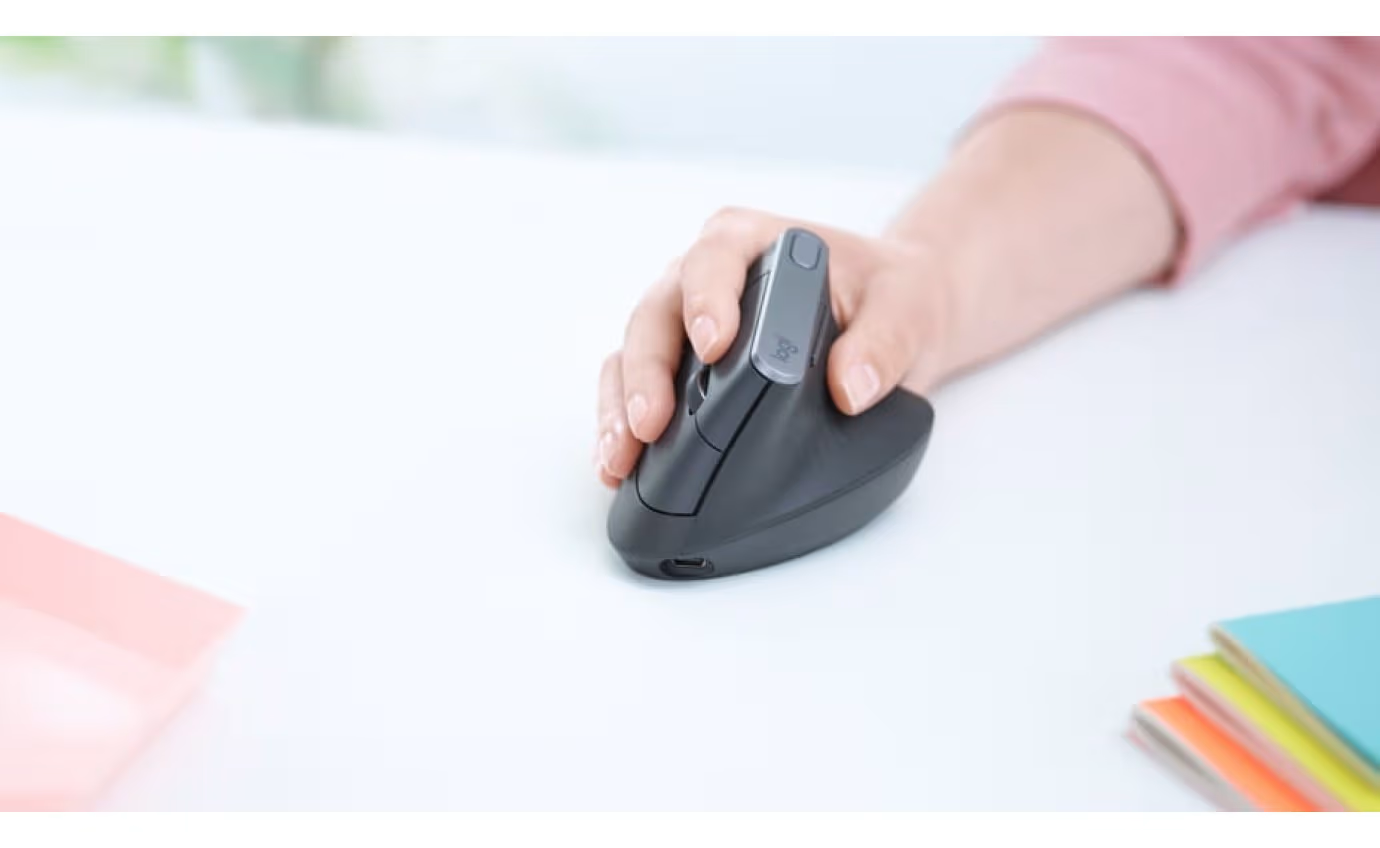
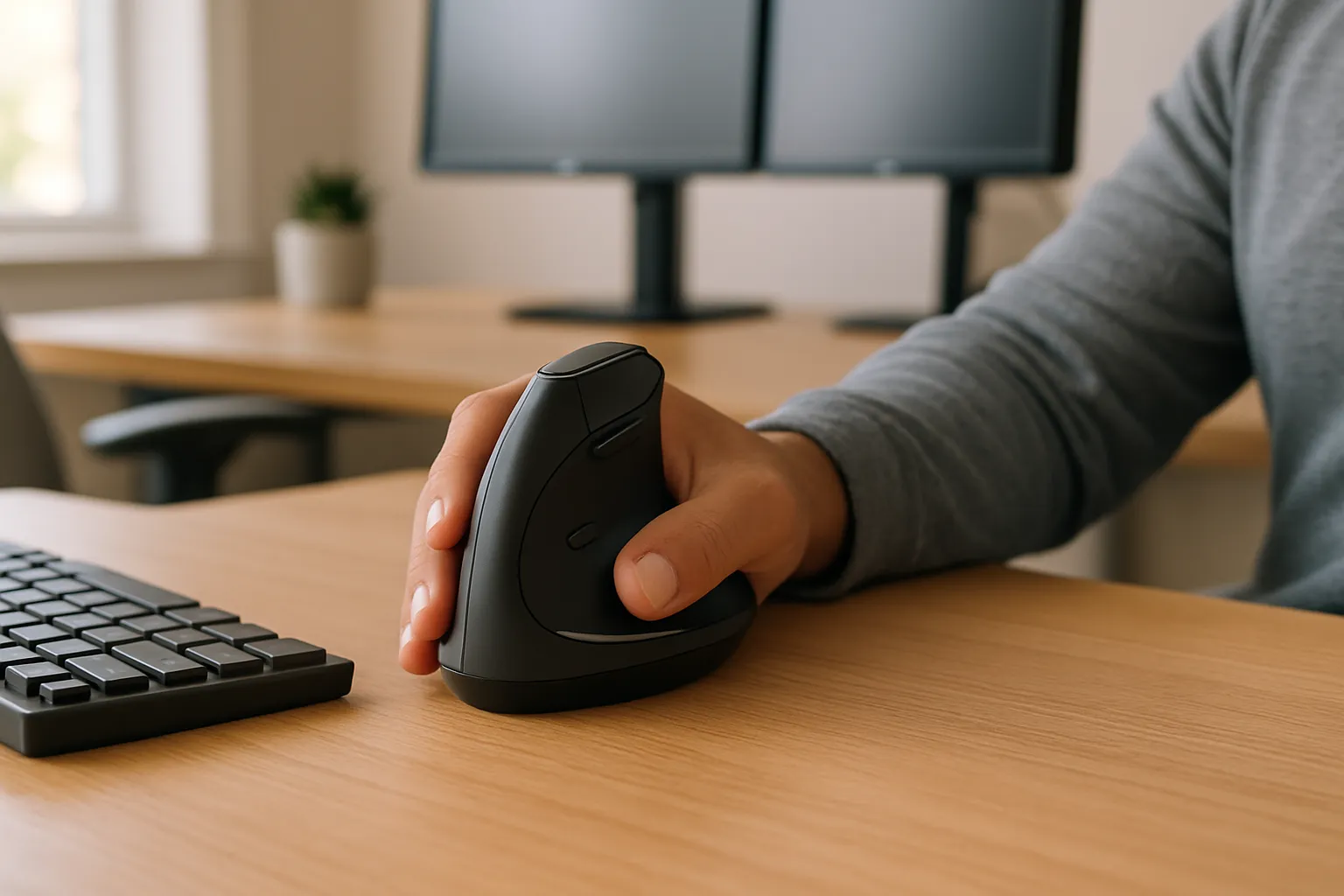
Vertical mice place your hand in a handshake-style grip, which rotates the forearm to a more neutral position. This is excellent for wrist and forearm pain. Products like the Logitech MX Vertical are popular for exactly that reason.
But here's the honest trade-off: a vertical mouse still sits to the right of your keyboard. You still have to reach for it. For shoulder pain specifically, the reach distance problem remains unsolved. The Contour UniMouse takes the vertical concept further with a patented hinge that adjusts from 35° to 70°, giving you precise control over the exact hand angle. That added customization helps, but placement still matters.
This type is best for: Users whose primary pain is wrist or forearm-focused, and who want a traditional mouse footprint with better hand positioning.
Centrally Positioned Mice: The Shoulder-Friendly Advantage
This is where shoulder pain relief gets serious. A centrally positioned mouse, like the RollerMouse Pro or Contour RollerMouse, sits directly in front of you, centered below your keyboard. Your arms stay symmetrical, elbows near your sides, and your shoulder muscles are no longer held in a sustained lateral reach position.
9 out of 10 Contour users report relief from computer-related pain, and for shoulder sufferers specifically, the geometry of a centered device is a large part of why.
The Contour RollerMouse Red uses a patented Rollerbar that you control with light finger pressure. There's no gripping, no reaching sideways, and no twisting. Your hands rest directly in front of you, where they naturally belong. Users report an adjustment period of about 2 weeks before it feels instinctive, which is a fair trade for significant shoulder relief.
This type is best for: Anyone whose shoulder pain is the primary complaint, especially those who've tried vertical mice with only partial results. If you're ready to switch, consider the RollerMouse Red.
Tiltable and Fully Adjustable Mice
The Contour UniMouse sits in its own category. It functions as a vertical-style mouse but with a level of adjustability that goes well beyond most products in this space.
You can set the hand angle anywhere between 35° and 70°, adjust the thumb support in five different configurations, and swap palm rests in different materials, vegan leather, bamboo, or fabric. Five programmable buttons let you set shortcuts that reduce the total number of mouse movements required per hour, which means less shoulder activation overall.
For users with an ambidextrous setup or those who switch mousing hands to reduce asymmetric strain, the UniMouse is available in both right and left-handed configurations.
This type is best for: Professionals who need highly personalized fit, designers, architects, video editors, where one-size ergonomics simply don't cut it.
How a Centrally Positioned Mouse Changes Everything
Here's a scenario that's more common than you'd think: a UX designer spends two years trying vertical mice, wrist rests, and various grips. Shoulder pain persists. Then they switch to a centrally positioned roller device and feel a difference within the first week.
This isn't magic. It's geometry.
When your mouse is centered in front of your body, your arms work symmetrically. Neither shoulder is constantly held in an extended, laterally rotated position. The muscles that have been quietly overworking, often without you even feeling them fire, finally get to rest.
The RollerMouse Red by Contour Design is engineered specifically around this principle. It positions the Rollerbar directly below the spacebar, which keeps your hands in their natural resting position rather than forcing them 6–12 inches to the right. For a full-time knowledge worker, that positional correction compounds over thousands of hours at the desk.
Contour's RollerMouse line also comes in three sizes, Red (smaller hands), Red Plus (average to large hands), and Red Max (with full integrated arm support), which means fit is genuinely addressed, not assumed.
The practical difference: Users who switch from a traditional mouse to a centrally positioned device typically report reduced shoulder fatigue within 1–2 weeks of consistent use. The adjustment period is real, but it's short compared to months of ongoing pain.
If shoulder pain is your primary complaint and you've already tried a standard ergonomic mouse without meaningful relief, a centrally positioned device is the most direct solution available.
Try this today: Measure the horizontal distance from your keyboard's right edge to where your mouse currently sits. If it's more than 4–5 inches, your shoulder is compensating every time you reach for it.
Other Habits That Support Shoulder Pain Relief
Even the best ergonomic mouse for shoulder pain won't solve everything on its own. These habits work alongside a better device to give your shoulder a real chance to recover.
Position your monitor directly in front of you, not to the side. A monitor placed off-center forces you to rotate your neck and shoulder to see the screen, and hold that position for hours. Eye level should be at the top third of the screen.
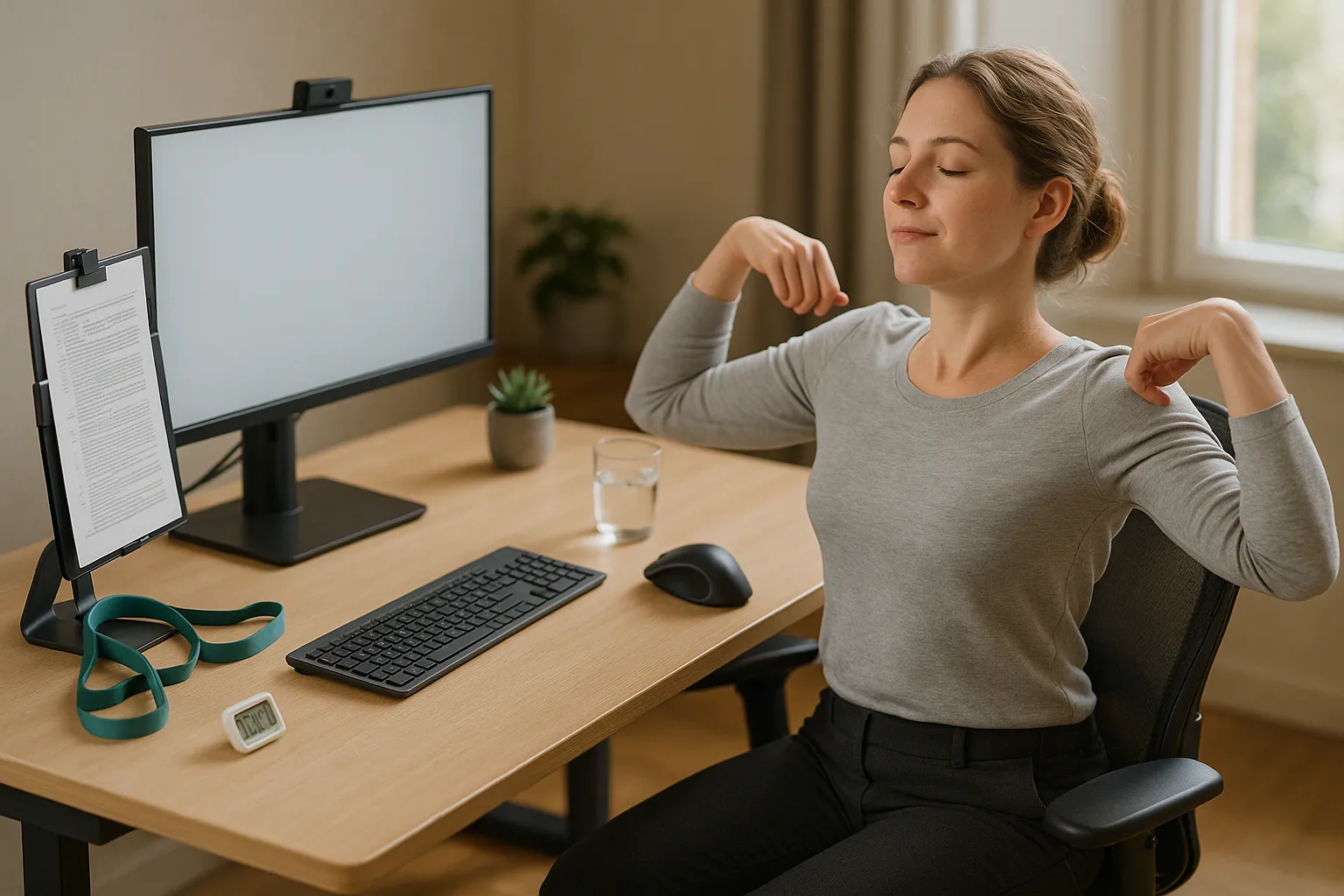
Take micro-breaks every 30–45 minutes. Even 90 seconds of shoulder rolls and arm drops interrupts the sustained muscle tension that builds throughout the day. Set a timer if you need to. This is one of the simplest interventions with strong supporting evidence, computer workstation ergonomics research consistently identifies work breaks as a key factor in reducing upper extremity symptoms.
Adjust your chair so your feet rest flat and your elbows sit at desk height. If your elbow is higher than your desk, your shoulder shrugs to compensate. If it's lower, you round forward. Neither is neutral.
A few more habits worth building: It also helps to pair the right hardware with these mouse arm syndrome exercises you can do at your desk.
- Use a document holder positioned at monitor height to avoid looking down and rotating your neck
- Switch mousing hands occasionally if your device supports ambidextrous use, it distributes load across both sides
- Strengthen your rotator cuff with simple resistance band exercises recommended by a physical therapist, which builds the shoulder's ability to handle sustained desk work
- Avoid cradling a phone between your ear and shoulder while also mousing, this is a fast way to aggravate existing pain
If you're managing pain across your shoulder and neck or arm, including symptoms linked to ulnar nerve entrapment from repetitive mouse use, it's worth looking at your full desk setup. Even a well-chosen mouse loses much of its benefit if your monitor height, keyboard angle, or chair position are working against you.
If you're managing pain across your shoulder and neck or arm, it's worth looking at your full desk setup. Even a well-chosen mouse loses much of its benefit if your monitor height, keyboard angle, or chair position are working against you.
If you're not sure which ergonomic mouse to choose, our Help Me Choose Tool narrows it down and finds the mouse that fits you in under a minute.
Conclusion
Shoulder pain from computer use is genuinely common, and genuinely fixable. But the fix requires addressing the actual cause: a mouse that asks your shoulder to reach, hold, and strain for hours at a time.
The best computer mouse for shoulder pain is one that keeps your arm close to your body, requires minimal lateral reach, and fits your hand precisely. Centrally positioned devices like the Contour RollerMouse Red deliver the most direct relief for shoulder-specific pain. Fully adjustable options like the UniMouse are the better fit when precise customization matters.
Pair the right device with smart desk habits, and the difference is real, and lasting.
Frequently Asked Questions About the Best Computer Mouse for Shoulder Pain
What is the best computer mouse for shoulder pain?
The best computer mouse for shoulder pain is a centrally positioned device like the Contour RollerMouse Red, which keeps your arms symmetrical and eliminates lateral reaching. For users needing precise customization, the Contour UniMouse — with its 35°–70° adjustable angle — is an excellent alternative. Both minimize sustained shoulder muscle activation.
Why does using a regular mouse cause shoulder pain?
A standard mouse forces your arm to reach outward, constantly activating the deltoid and trapezius muscles. Over 6–8 hours, this repetitive micro-strain builds into chronic tension or pain. Research confirms that mouse type directly affects upper extremity posture and muscle load, making design a critical factor in shoulder health.
How does a centrally positioned mouse help relieve shoulder pain?
A centrally positioned mouse, like the RollerMouse Red, sits directly in front of you below the keyboard, keeping both arms symmetrical and elbows close to your body. This eliminates the sustained lateral reach that overloads shoulder muscles. Contour reports that 9 out of 10 users experience relief from computer-related pain after switching.
Is a vertical mouse good enough for shoulder pain relief?
Vertical mice improve wrist and forearm positioning but don't fully solve shoulder pain — they still sit to the right of your keyboard, requiring lateral reach. They're best for wrist-focused discomfort. If shoulder pain is your primary complaint and a vertical mouse hasn't helped, a centrally positioned roller device offers more targeted relief.
How far should my mouse be from my keyboard to avoid shoulder strain?
Your mouse should be close enough that your elbow stays at roughly 90° without reaching — ideally no more than 4–5 inches from your keyboard's right edge. Ergonomics experts recommend this positioning to reduce shoulder muscle load. Using a narrower keyboard, like the Contour Balance Keyboard, can also help reduce that reach distance naturally.
Can an ergonomic mouse alone fix chronic shoulder pain from computer use?
An ergonomic mouse addresses a root cause, but chronic pain often requires a combined approach. Pair your device upgrade with monitor alignment, micro-breaks every 30–45 minutes, proper chair height, and — if pain is significant — physical therapy. No single product reverses years of accumulated strain on its own, but the right mouse is a strong starting point.

Which Device Is Right for You?
Take a quick quiz and get a personalized recommendation based on how you work.

