

The ergonomic trackball mouse has earned a loyal following among people looking to reduce wrist pain, improve desk space, and avoid the constant surface friction of a traditional mouse. From the Kensington Orbit, Kensington Slimblade, and Kensington Orbit Wireless Trackball, to the Logitech MX Ergo, many of the best trackball mice promise improved ergonomics and smoother cursor control.
But there’s one thing these devices all shares: they shift workload into the thumb or middle fingers. And for many users, that shift can create a new problem where the old one once lived.
That’s why it’s important to understand not just how trackballs help the wrist and forearm—but how they can unintentionally increase strain elsewhere.
Let’s break down how different trackball mouse designs affect the thumb’s CMC joint, why overuse is becoming more common, and why a vertical mouse may be the better long-term alternative.
How Trackball Design Impacts the Thumb
1. Finger-operated Trackballs
Devices like the Kensington Orbit or Kensington Slimblade rely on the middle fingers to spin the ball, while the thumb and pinky handle left and right clicks. While this keeps the palm, arm, and wrist in a relaxed posture, the constant clicking can push the thumb into an awkward angle—especially during long computer sessions or high-frequency tasks like scrolling without a scroll wheel or scroll ring.
For users who click frequently throughout the day, this repeated lateral thumb motion can become a primary source of irritation.
2. Thumb-operated Trackballs
Products such as the Logitech MX Ergo, the best thumb-operated trackball for many users, make the thumb responsible for nearly all cursor movement. The larger ball may feel smooth and stable, but the repetitive micro-movements—combined with clicking, dragging, and DPI switch adjustments—place heavy demand on the thumb’s CMC joint.
For most people, this design is intuitive after a brief learning curve, but that convenience can mask long-term strain.
Even with good ergonomics elsewhere, these concentrated thumb motions can accumulate quickly over a full workday.
Why the Thumb’s CMC Joint Is Vulnerable
When the thumb is used for precise, repetitive motions (scrolling, clicking, high-frequency pointer adjustments), the CMC joint—essential for gripping and rotation—absorbs the load. Over time:
- Cartilage begins to wear down.
- The joint loses cushioning.
- Bone grinds against bone, creating inflammation and pain.
Historically, CMC issues were most common in adults over 40. But today, thanks to smartphones, gaming, and input devices like thumb-operated trackballs, early-onset irritation is increasingly common.
Even the best-built devices can’t compensate for the biomechanical reality: the thumb wasn’t designed for this much precision work. In other words, improved device features don’t offset the mechanical stress placed directly on the joint.
A healthier alternative: an ergonomic mouse that supports the thumb
A well-designed vertical mouse keeps the hand in a handshake posture, reducing forearm twist and eliminating the need to grip, pinch, or stabilize the device. Our Unimouse takes this a step further with an adjustable thumb support that lets users rest their thumb completely—no squeezing, no lifting, no tension.
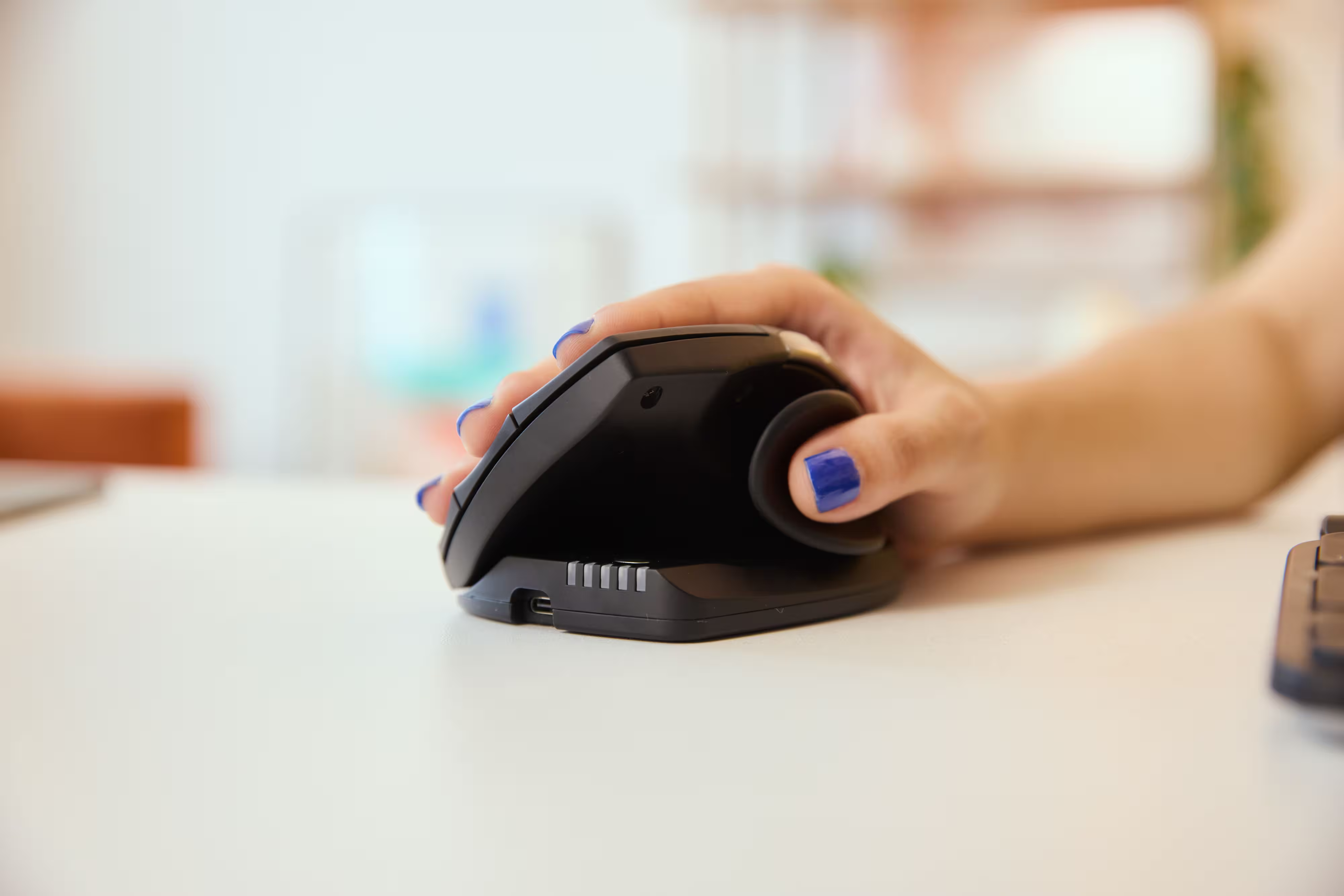
The Unimouse also offers the flexibility that many people look for in a trackball mouse—without the ergonomic tradeoffs:
- Left- or right-handed models: Because comfort shouldn’t depend on handedness, the Unimouse is built for both right handed users and left handed users.
- Wired or wireless: Choose a wireless setup for a clean desk or a stable USB-connected option for uninterrupted uptime.
- Programmable buttons: Customize shortcuts to streamline clicking, scrolling, and repetitive tasks—much like trackballs with more buttons, but without the thumb-intensive workload.
- Natural, vertical posture: The design positions your wrist and forearm in a neutral angle, reducing the strain that both regular mice and trackball devices often introduce.
- Custom-fit adjustments: Fine-tune the angle, height, and thumb support to match your hand size and preferred grip, avoiding the “one-shape-for-all” limitation of most trackballs.
This makes it a smooth transition for users who want ergonomic benefits without learning an entirely new movement pattern.
If you love the benefits of trackball ergonomics—but not the thumb fatigue—this is the bridge between comfort and long-term health.
Learn more about the Unimouse.
Give your thumbs the break they deserve.
If you're exploring ergonomic mouse solutions because your current trackball or conventional mouse leaves your thumb overstressed, the Unimouse offers a healthier path forward—without sacrificing control, features, or productivity.
It delivers ergonomic support without relying on the thumb as the primary driver, making it a more sustainable option for long hours of computer use.
Shop the Unimouse and discover a more supportive, sustainable alternative today.
Which Device Is Right for You?
Take a quick quiz and get a personalized recommendation based on how you work.

