
The Contour RollerMouse: A Smarter Way to Work Pain-Free
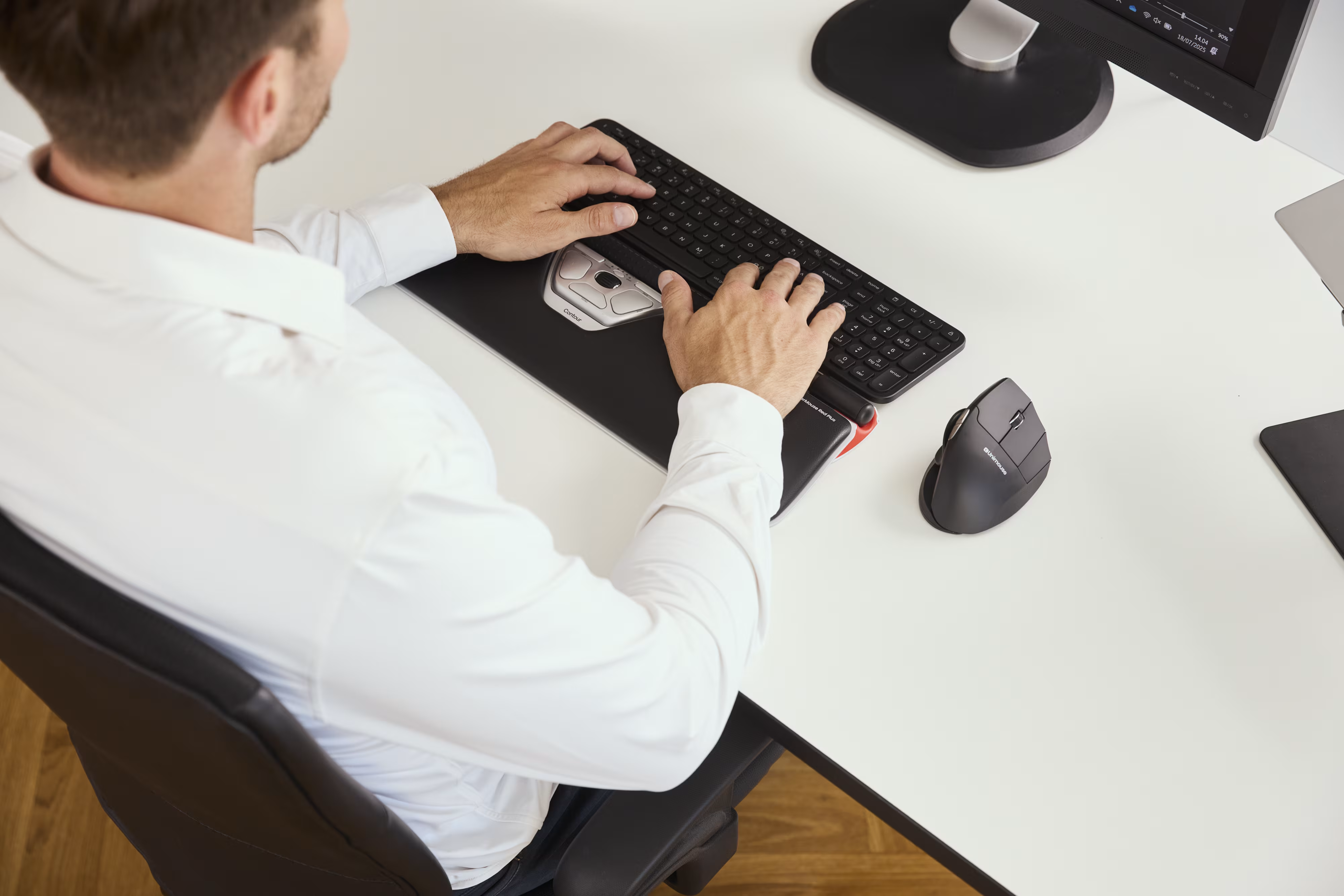
The Contour RollerMouse redefines how you interact with your computer, and if you're logging 8+ hours a day at a desk, that matters more than you might think. Traditional side mice force your arm away from your body, your shoulder forward, and your wrist into awkward angles. Thousands of knowledge workers have paid for that with tendinitis, carpal tunnel flare-ups, and chronic neck tension. This guide breaks down exactly what makes the RollerMouse different, how it reduces strain across your wrist, forearm, and shoulder, and whether it's the right move for your setup.
Key Takeaways
- The Contour RollerMouse eliminates arm reaching by positioning the rollerbar centrally in front of your keyboard, reducing the shoulder protraction and wrist strain caused by traditional side-mounted mice.
- A contour roller mouse reduces repetitive strain injury (RSI) by keeping your hands centered, elbows close to your sides, and wrists flat in a neutral position—critical for comfort over the 2,000+ hours desk workers spend annually.
- The rollerbar's larger surface area distributes contact force across your hand and supports adjustable click force, making it ideal for users recovering from tendinitis or finger joint inflammation.
- RollerMouse adapts in under an hour of use and works ambidextrous for both left- and right-handed users, making it practical for shared workstations and space-constrained desk setups.
- Available in wired (Pro3), wireless (Red Plus), or with optional palm support (Ergo), the RollerMouse delivers precision tracking up to 4,000 DPI for professional work like CAD modeling and photo editing without sacrificing ergonomic benefits.
What Makes the RollerMouse Different from Every Other Ergonomic Mouse

Most ergonomic mice tweak one variable: angle, grip, or button placement. The RollerMouse changes the entire equation. For a broader overview, start with our guide to the best ergonomic mouse.
The rollerbar sits directly in front of your keyboard, not to the right, not to the left. You roll it to move the cursor in any direction and click without ever lifting your hands off the home row position. That single design choice eliminates the reaching motion that causes the majority of mousing-related strain.
It's Ambidextrous by Design
Vertical mice favor one hand. Trackballs often favor one grip style. The contour roller mouse works equally well for left- and right-handed users, which means it's practical for shared workstations, IT environments, and any team where equipment gets passed around.
The device is compact, requires no mouse pad, and fits desks where space is genuinely tight, a real advantage for architects, editors, or dual-monitor setups where desk real estate disappears fast.
Precision That Matches Professional Demands
Whether you're editing pixel-perfect graphics, navigating dense spreadsheets, or moving line by line through code, RollerMouse Red gives you the control your work demands. The patented rollerbar sits centred in front of your keyboard, so cursor movement is driven by a light touch rather than a tight grip. Every motion stays smooth, accurate, and effortless, hour after hour. No overreaching. No wrist twisting. Just steady, ambidextrous precision built for the people who can't afford to slow down.
You also get programmable buttons, a scroll wheel, and adjustable click force. The RollerMouse Pro3 from Contour offers this full feature set in a wired configuration built for power users.
For those who prefer wireless freedom, the RollerMouse Red plus delivers the same centralized rollerbar control without the cable, which means one fewer cord cluttering your desk and full flexibility to reposition without restriction.
How It Compares to Other Ergonomic Options
Vertical mice reduce forearm rotation but still require you to reach sideways. Trackballs eliminate arm movement but demand precise thumb or finger control that can shift strain to smaller joints. The RollerMouse doesn't force a tradeoff, it removes the reach entirely while keeping cursor control natural and low-effort.
If you're still trying to figure out which device matches your specific pain pattern and work style, which ergonomic mouse fits your situation is a useful starting point before committing to any model.
Try this today: Place your current mouse directly in front of you, centered at the keyboard. Notice how unnatural that feels with a traditional device. That discomfort is exactly the gap the RollerMouse was designed to close.
How the RollerMouse Relieves Wrist, Forearm, and Shoulder Strain
Here's what actually causes RSI in heavy computer users: it's not just the number of clicks. It's the sustained, off-center positions your body holds for hours to operate a side-mounted mouse.
Shoulder protraction, where your shoulder pushes forward and outward to reach a mouse, is one of the most common contributors to upper-body tension in desk workers. A CDC-supported study evaluating different pointing device designs found that centralized pointing devices significantly reduce upper extremity muscle activity compared to conventional side mice. Less muscle activation over an 8-hour day means less accumulated fatigue.
Keeping Your Body in Neutral
The RollerMouse keeps both hands centered directly in front of your body. Your elbows stay close to your sides. Your shoulders stay back. Your wrists remain flat and aligned, not twisted inward or cocked upward to reach a device 10 inches to your right.
This neutral alignment matters most over time. A single hour of poor positioning won't hurt you. But 2,000 hours per year of the same deviation adds up to the kind of chronic strain that sidelines careers. It's worth understanding the best mouse to prevent carpal tunnel too.
The Rollerbar Reduces Fingertip Pressure
.avif)
The larger surface area of the rollerbar distributes contact force across a broader section of your hand. Compare that to a traditional mouse, where fine cursor control often means pressing down hard with your index fingertip in a pinched position.
Adjustable click force lets you customize how much resistance each click requires, which means users recovering from tendinitis or finger joint inflammation can dial down the effort to a level that doesn't aggravate healing tissue.
Wrist Rests and Palm Supports Done Right
The CCOHS guidelines on wrist rests are clear: a wrist rest should support the palm during pauses in activity, not prop the wrist up while you're actively mousing. The RollerMouse Ergo model includes a vegan leather palm support that follows exactly this principle, it encourages a neutral wrist position during pauses without forcing an unnatural angle during active use.
Optional forearm supports are also available, helping users with ulnar nerve or forearm strain maintain alignment from elbow to fingertip throughout the workday.
The Adaptation Period Is Short
Users report adapting to the rollerbar in under an hour of active use. That's faster than most ergonomic peripherals, which often require days or weeks of retraining muscle memory. The centralized position feels intuitive because it mirrors where your hands already rest while typing.
This is not a device for everyone. If your primary pain is in your fingers or thumb from precision work, a different solution may serve you better. But for wrist, forearm, and shoulder strain driven by repetitive reaching and poor arm positioning, the RollerMouse addresses the root cause directly.
Do this today: Measure the distance your right hand travels from your keyboard home row to your mouse. If it's more than 4 inches, that gap is costing you comfort and, eventually, health. The contour roller mouse lineup eliminates that distance entirely.
Conclusion
The RollerMouse isn't a minor upgrade, it's a fundamentally different approach to how you control your computer. By centering the input device, it removes the physical patterns that drive most desk-related RSI.
If you're dealing with wrist tension, forearm soreness, or shoulder fatigue from years of mousing, this is worth a serious look. Start with the model that fits your workflow, wired, wireless, or with palm support, and give your body the neutral position it's been missing. To understand the design behind it, learn about what a mouse roller is.
Frequently Asked Questions About the Contour RollerMouse
What is a contour roller mouse and how does it differ from a traditional mouse?
The contour roller mouse is an ergonomic input device with a rollerbar positioned directly in front of your keyboard instead of to the side. Unlike traditional mice that require reaching sideways, it lets you control the cursor and click without moving your hands from the home row position, eliminating the repetitive reaching that causes most mousing-related strain.
Can the RollerMouse help reduce wrist and shoulder pain from computer work?
Yes. By keeping your hands centered on the keyboard, the RollerMouse prevents shoulder protraction and wrist deviation common with side mice. A CDC-supported study found that centralized pointing devices significantly reduce upper extremity muscle activity compared to conventional mice, decreasing accumulated fatigue over an 8-hour workday.
How long does it take to adapt to using a contour roller mouse?
Most users adapt to the rollerbar in under an hour of active use, which is faster than most ergonomic peripherals. The centralized position feels intuitive because it mirrors where your hands already rest while typing, making the learning curve minimal.
What are the different RollerMouse models available?
Contour Design offers several options, including the wired RollerMouse Pro3 with programmable buttons and full features for power users, and the wireless RollerMouse Red plus for cable-free flexibility. The RollerMouse Ergo model includes a vegan leather palm support for enhanced wrist alignment and comfort during extended use.
Is the RollerMouse ambidextrous and suitable for shared workstations?
Yes, the RollerMouse is ambidextrous by design and works equally well for left- and right-handed users. Its compact size and lack of mouse pad requirement make it ideal for shared workstations, IT environments, and tight desk spaces like dual-monitor setups.
What precision and tracking capabilities does the contour roller mouse offer?
The RollerMouse uses either a twin-eye laser sensor or the 7SENSES system (one central plus six peripheral sensors) for tracking accuracy up to 4,000 DPI. This precision supports pixel-level editing in Photoshop and complex CAD modeling, with adjustable click force customization for users recovering from repetitive strain injuries.

Which Device Is Right for You?
Take a quick quiz and get a personalized recommendation based on how you work.

