
Best Mouse to Prevent Carpal Tunnel: Say Goodbye to Wrist Pain for Good
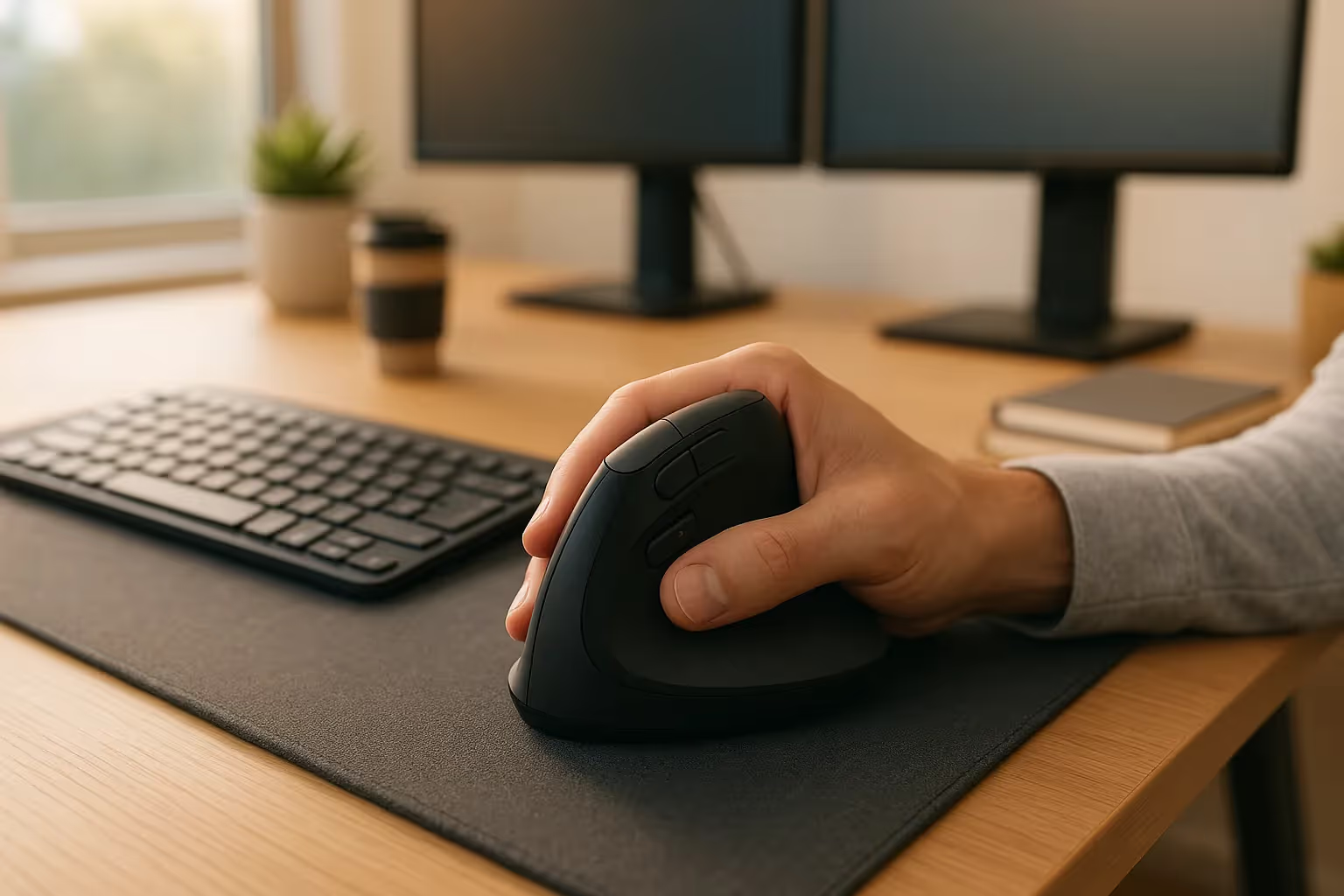
The best mouse to prevent carpal tunnel isn't just a comfort upgrade. It's a decision that protects your livelihood. If you spend 6–10 hours a day at a computer, your mouse is either helping your wrists or quietly hurting them.
Carpal tunnel syndrome affects millions of adults, and the risk rises with repetitive computer work. As Mayo Clinic office ergonomics guidance explains, awkward wrist posture and repetitive input habits can build strain over time. For a broader overview, start with our guide to the best ergonomic mouse.
Here's what most people miss: the standard flat mouse forces your hand into a pronated position, twisting your forearm and narrowing that carpal tunnel with every click. This guide breaks down exactly why that happens, what to look for in a truly ergonomic mouse, and which designs give your wrist the best chance at staying pain-free for the long haul.
Key Takeaways
- A best mouse to prevent carpal tunnel must keep your wrist in a neutral position at a 35–90° angle, which reduces carpal tunnel pressure by up to 32% compared to a flat, pronated mouse grip.
- Early warning signs like nighttime tingling, forearm fatigue, and reduced grip strength indicate you should replace your current mouse immediately, as early-stage carpal tunnel responds well to ergonomic intervention.
- Vertical mice, centralized rollerbar devices, and trackballs each solve wrist strain differently. Choose based on your primary symptom, hand size, and workflow rather than popularity or price alone.
- Pairing an ergonomic mouse with higher DPI settings (1600–2400), micro-breaks every 30–45 minutes, and targeted wrist stretches creates a long-term injury prevention strategy that compounds over time.
- Measure your hand size before buying and verify that your ergonomic mouse offers adjustable tilt, thumb support, and programmable buttons to ensure you actually achieve the ergonomic benefits promised.
Why Your Mouse Might Be Causing Carpal Tunnel

Most people don't connect their mouse to their wrist pain. They blame long hours, stress, or age. But the tool in your hand for 8+ hours a day deserves a hard look.
The Link Between Repetitive Mouse Use and Wrist Strain
A traditional flat mouse forces your forearm into full pronation, a palm-down rotation that compresses the soft tissue and tendons inside the carpal tunnel. Do that for hundreds of hours over months, and you're steadily increasing pressure on the median nerve.
The median nerve controls sensation in your thumb, index, middle, and part of your ring finger. When it's compressed repeatedly, the nerve signals slow down. You feel tingling first, then numbness, then pain.
Research shows that rotating the hand to a 57–90° "handshake" angle can reduce carpal tunnel pressure by up to 32% compared to the fully pronated position. That's not a minor tweak. That's the biomechanical case for ergonomic mice in a single data point.
Repetition multiplies the risk. Every click, every scroll, every drag repeated thousands of times per day compounds the stress. It's not one dramatic injury. It's a slow accumulation that eventually crosses a threshold your body can't ignore.
Warning Signs You Shouldn't Ignore
Early carpal tunnel syndrome often shows up at night before it appears during the day. Your body rests, fluid shifts, and the nerve gets irritated enough to wake you up.
Watch for these signals:
- Nighttime tingling or numbness in the thumb, index, or middle finger
- Forearm tightness or fatigue after mouse-heavy work sessions
- Reduced grip strength, especially when opening jars or holding objects
- A feeling of swelling in the hand even when no visible swelling exists
- Dropping objects more than you used to
If two or more of these apply to you, don't wait. Early-stage carpal tunnel responds well to ergonomic intervention. Late-stage often requires medical treatment, and in some cases, surgery. Our guide on what carpal tunnel syndrome is and how it progresses covers the full clinical picture.
Start by assessing your current mouse setup today. Notice how your forearm sits during a typical work session. If your palm faces the desk, that's the problem you need to solve.
What Makes a Mouse Truly Ergonomic?

The word "ergonomic" gets applied to almost every peripheral on the market. It's become nearly meaningless. Here's what it actually requires.
Neutral Wrist Position: The Key to Pain-Free Use
A neutral wrist position means your forearm, wrist, and hand stay in one straight, untwisted line. No pronation. No ulnar deviation (bending the wrist sideways toward the pinky). No extension (bending back toward the forearm).
Achieving that with a mouse means raising your hand off the flat plane of the desk. The ideal angle sits somewhere between 35° and 90°, depending on your anatomy and injury history. A full vertical "handshake" grip is the most extreme and effective option for people with active carpal tunnel symptoms.
When the wrist stays neutral, the carpal tunnel stays open. The median nerve has room. Blood flows freely to your tendons. That's how you work for 8 hours without the burn starting at hour 3.
Features to Look For: Shape, Size, and Adjustability
Not every "ergonomic" mouse delivers on that promise. When you're evaluating options, focus on these specifics:
- Adjustable tilt angle between 35° and 70°, so you can dial in the exact position your hand needs
- Thumb rest that keeps the thumb stable and prevents ulnar deviation
- Sculpted grip shape that matches the natural curve of your fingers (not just a rounder version of a flat mouse)
- Weight under 120g to reduce the effort required for repositioning
- High DPI range (1600–3200) which means smaller hand movements achieve the same cursor distance, reducing total motion
- Programmable buttons placed where your fingers naturally rest, cutting down on awkward reaches
- Wireless option to eliminate cable drag, which adds subtle resistance to every movement
Size matters more than most people expect. A mouse that's too small forces your fingers to curl tightly. Too large, and your hand stretches uncomfortably. Many ergonomic brands now offer small, medium, and large variants for this reason.
This week, measure your hand from the base of your palm to the tip of your middle finger. Most sizing guides use this measurement to match you to the right mouse body. Get that number before you buy anything.
Types of Ergonomic Mice That Help Prevent Carpal Tunnel
.avif)
Different mouse designs address wrist strain in different ways. The right category for you depends on your symptoms, your work style, and how far you're willing to adjust your setup.
Vertical Mice
Vertical mice rotate the grip to a near-90° handshake position, eliminating most of the forearm pronation that drives carpal tunnel compression.
This design is the most direct solution for people with active carpal tunnel symptoms. Studies on vertical mouse use show meaningful reductions in muscle activity in the forearm, which translates to less fatigue and less nerve pressure over a full workday. For a deeper look at how the design works and who benefits most, see our breakdown of the benefits of switching to a vertical mouse.
The trade-off: vertical mice still require you to move your entire arm across the desk to reposition the cursor. For people also experiencing computer mouse shoulder pain, that arm movement can create a new problem while solving the old one.
Good vertical mice include adjustable tilt angles so you're not locked into one fixed position. Look for options with at least five programmable buttons and a DPI switch you can access without repositioning your hand.
Rollerbar and Centralized Mice
Centralized mice like the Contour Design RollerMouse Pro place the pointing device directly in front of your keyboard, meaning both hands stay close to your body and your shoulders stay relaxed.
The patented Rollerbar design keeps your hands in a certified ergonomic position without requiring you to reach to the side. This eliminates the lateral shoulder reach that standard mice demand thousands of times per day, which is often overlooked as a contributor to neck and shoulder tension that compounds wrist strain.
The RollerMouse Pro is built from 100% post-consumer materials and comes with interchangeable palm rests in multiple sizes and materials including vegan leather, bamboo, and fabric. That level of customization matters because comfort isn't one-size-fits-all.
For people whose pain extends beyond the wrist into the shoulder, neck, or forearm, the centralized design often delivers relief that a standard vertical mouse can't match. Many Contour Design customers describe it as a genuinely life-changing experience.
Trackballs and Touchpads
Trackballs and touchpads eliminate arm movement almost entirely, which means your wrist and shoulder stay stationary while your fingers or thumb do all the navigation work. If you're ready to switch, consider the RollerMouse Red.
Studies suggest that switching to a trackball can reduce total forearm movement by up to 60% compared to a standard mouse. For people with tendonitis or those recovering from surgery, this dramatic reduction in movement is often the deciding factor.
Thumb-operated trackballs keep the wrist in a near-neutral position and distribute the workload to larger thumb muscles. Finger-operated trackballs spread the effort across multiple fingers, which some users find more comfortable for precision tasks like design or video editing.
The Contour Design SliderMouse Pro functions similarly, using a slider bar that feels intuitive like a touchpad while keeping hands centered and wrists straight. It's particularly effective for users who switch frequently between typing and pointing, because almost no repositioning is required.
How to Choose the Right Ergonomic Mouse for Your Needs
Choosing the right ergonomic mouse is less about picking the most popular model and more about matching the device to your specific anatomy, injury, and workflow.
Start with your primary symptom. If carpal tunnel is your main concern and it's centralized in the wrist and fingers, a vertical mouse or centralized rollerbar design addresses the root cause most directly. If tendonitis runs through your forearm, a trackball or touchpad-style device reduces arm movement more effectively.
Then factor in your hand size. Measure your hand length (base of palm to tip of middle finger) and hand width (across the knuckles). Most manufacturers publish sizing guides. Using a mouse that's even 10–15% too large or too small will undo much of the ergonomic benefit.
Consider your workflow. Video editors and designers who make precise, small movements benefit from high DPI settings and steady wrist support. Writers and coders who spend more time typing than pointing benefit most from centralized designs that minimize the reach between keyboard and mouse.
Here's a practical framework:
- Carpal tunnel symptoms: Vertical mouse (35°–70° adjustable tilt) or centralized rollerbar
- Tendonitis or forearm strain: Trackball or slider-style device
- Shoulder or neck pain alongside wrist pain: Centralized device like the RollerMouse Pro
- Ambidextrous use or left-handed: Look for symmetric designs or left-handed variants specifically
- Travel or hybrid work: Compact wireless vertical mouse with a long battery life
If budget allows, try before you commit. Contour Design offers a demo program for businesses evaluating ergonomic setups for teams. If you want a broader model comparison, review these best computer mouse options for carpal tunnel prevention.
Extra Habits That Support Long-Term Wrist Health

The right mouse helps. But the mouse alone won't undo the effects of an otherwise poorly structured workday. These habits close the gap.
Set your DPI higher than you think you need. A higher DPI setting means the cursor travels farther with less physical hand movement. Most users operate at 800–1200 DPI by default. Bumping that to 1600–2400 reduces your total daily hand travel by a measurable amount, every single day.
Take a micro-break every 30–45 minutes. Not a long break. Just 60–90 seconds of removing your hand from the mouse, letting your forearm rest flat, and gently stretching your fingers. Set a timer if you won't remember. The compounding benefit over a year of consistent micro-breaks is significant.
Strengthening and stretching the muscles around the wrist also matters:
- Wrist flexor stretch: Extend your arm, pull your fingers back gently with the opposite hand, hold 20 seconds
- Wrist extensor stretch: Extend your arm, point fingers down, press gently with opposite hand, hold 20 seconds
- Finger spreads: Spread fingers as wide as possible, hold 5 seconds, repeat 10 times
Pair your mouse with an ergonomic keyboard. The Contour Design Balance Keyboard collection is designed to work alongside centralized mouse devices like the RollerMouse. Its narrower width reduces how far you reach between typing and pointing, which lowers cumulative shoulder and wrist strain throughout the day.
Check your monitor height too. When your screen is too low, you hunch forward, which puts tension on your neck and shoulders that travels straight down into your forearms and wrists. Your monitor's top third should sit at eye level.
This week: audit your full setup. Mouse type, keyboard position, monitor height, and chair armrest height all interact. One adjustment rarely fixes everything. A full setup review often does. To understand the design behind it, learn about what a mouse roller is.
If you're already experiencing symptoms, consider working with a certified occupational therapist who specializes in repetitive strain injuries. A one-hour assessment can identify exactly where your setup is failing you, which is worth far more than buying a third or fourth mouse that doesn't solve the right problem.
If you're not sure which ergonomic mouse to choose, our Help Me Choose Tool narrows it down and finds the mouse that fits you in under a minute.
Conclusion
Carpal tunnel doesn't develop overnight, and it doesn't disappear overnight either. But the choices you make about your mouse and your work habits compound over time, in either direction.
The clearest action you can take today: replace any flat, standard mouse with a design that puts your wrist in a neutral position. Whether that's a vertical mouse for direct carpal tunnel relief, a centralized rollerbar device like the Contour Design RollerMouse Pro for full upper-body comfort, or a trackball for minimal arm movement, the shift away from full pronation is the single most impactful change you can make. For a broader look at how mouse choice connects to repetitive strain injuries, our guide on carpal tunnel wrist pain and RSI goes deeper into the clinical and ergonomic evidence.
Pair that with higher DPI settings, regular micro-breaks, and a keyboard that doesn't force you to reach sideways, and you're building a setup that protects you for the next 20 years of work, not just the next few months.
Your hands are how you do your best work. They deserve tools that take care of them.
Frequently Asked Questions About Ergonomic Mice and Carpal Tunnel Prevention
What is the best mouse to prevent carpal tunnel?
The best mouse to prevent carpal tunnel depends on your symptoms. Vertical mice (35–70° adjustable tilt) are most effective for wrist-focused carpal tunnel, while centralized devices like RollerMouse Pro relieve shoulder and neck pain alongside wrist strain. For minimal arm movement, trackballs reduce forearm activity by up to 60%.
How does a standard mouse cause carpal tunnel syndrome?
A flat mouse forces your forearm into full pronation, palm-down rotation, which compresses soft tissue and tendons inside the carpal tunnel. Repeated thousands of times daily, this gradually increases pressure on the median nerve, causing tingling, numbness, and eventual pain.
What angle should a mouse be at to reduce carpal tunnel pressure?
Research shows a 57–90° handshake angle reduces carpal tunnel pressure by up to 32% compared to a fully pronated position. Ergonomic mice with adjustable tilt angles between 35° and 70° let you dial in the exact position your hand needs for pain-free use.
Can RollerMouse Pro relieve pain beyond just the wrist?
Yes. RollerMouse Pro's centralized design places the pointing device directly in front of your keyboard, eliminating lateral shoulder reach. This relieves pain in your shoulders, neck, forearms, and wrists, addressing strain that extends beyond carpal tunnel to your entire upper body.
What are the early warning signs of carpal tunnel from mouse use?
Early signs include nighttime tingling or numbness in your thumb and fingers, forearm tightness after work sessions, reduced grip strength, and a feeling of swelling in your hand. If two or more apply, early-stage carpal tunnel responds well to ergonomic intervention.
How do trackballs compare to vertical mice for carpal tunnel relief?
Trackballs eliminate arm movement almost entirely, reducing forearm motion by up to 60% compared to standard mice. Vertical mice reduce pronation and keep wrists neutral. Choose trackballs for tendonitis or minimal movement needs; vertical mice for direct carpal tunnel relief with arm reach still required.

Which Device Is Right for You?
Take a quick quiz and get a personalized recommendation based on how you work.

