
7 Best Mouse for Tennis Elbow Options for Pain-Reduced, Aligned Workflows
It starts as a tug on the outer elbow when you grip your mouse. By noon, every click stings. The best mouse for tennis elbow works on two things your current one makes worse. One is how far you reach for it. The other is how hard you press to click. Get both down and you can work a full day without the ache, without losing speed or precision. Tennis elbow is lateral epicondylitis, a tendon problem at the outer elbow, and the desk version of it behaves much like tennis elbow as a repetitive strain injury anywhere else in the arm.
Tendon Or Nerve? A 20-Second Self-Check
Before you buy anything, work out which tissue is complaining, because the device that helps one does little for the other.
Press the bony bump on the outside of your elbow, then make a fist and bend your wrist back against your other hand. Pain at that outer bump means the wrist extensor tendons, which is tennis elbow. Pain on the inner side of the elbow instead points to the flexor side, commonly called golfer's elbow. Either way, why mouse use irritates the elbow explains the mechanics.
Turn your palm face-down and hold it there. If that rotation alone sharpens the ache, forearm pronation is a live trigger for you, and mouse angle matters more than mouse shape.
Check your last two fingers. Tingling or numbness in the pinky and ring finger is a nerve pattern, not a tendon one, and usually points toward ulnar nerve entrapment rather than tennis elbow. The two can happen at once, which is why symptoms get confusing.
This article is general information, not medical advice. Pain that wakes you at night, weakness that makes you drop things, or numbness that does not settle needs a clinician rather than a new mouse.
1. Centered RollerMouse: No Reach, Less Strain

A centered pointing device minimizes reach and forearm torque, the two motions most likely to aggravate tennis elbow during mouse-heavy work.
How It Helps Tennis Elbow
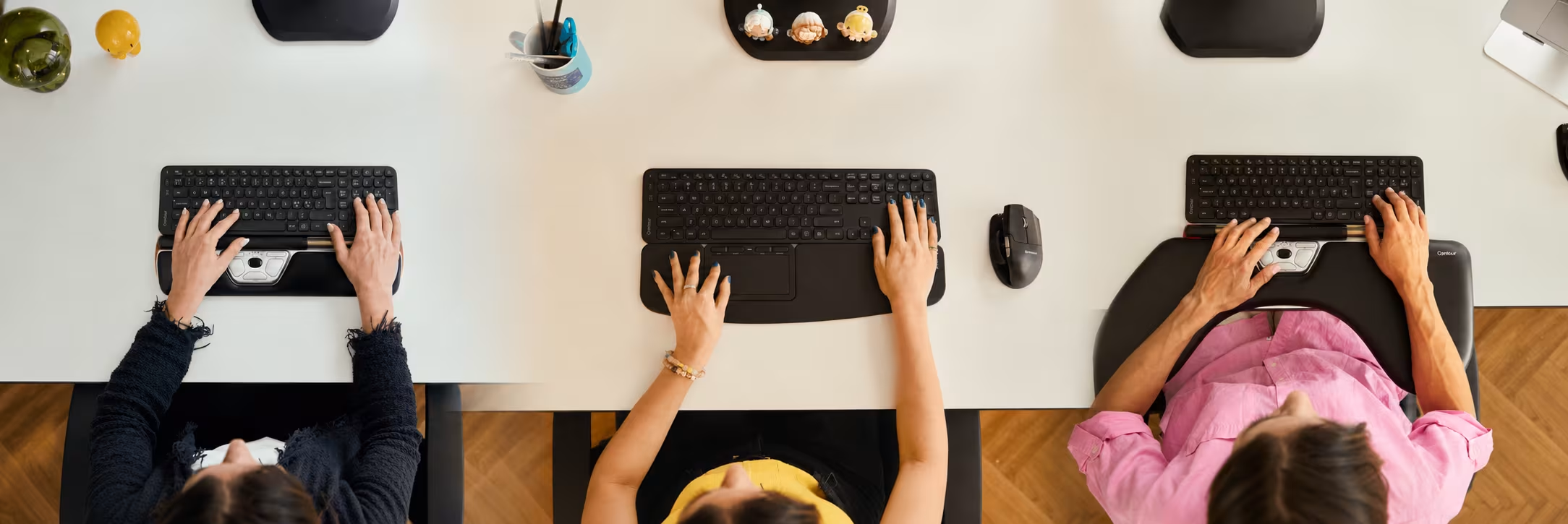
With a RollerMouse (e.g., RollerMouse Red), your hands stay close to the home row, and the cursor bar glides under your thumbs. No reaching, twisting, or gripping. That means the extensor tendons at the elbow stay calmer, less load, less irritation. For many, this is the most effective mouse for tennis elbow because it cuts the movements that hurt in the first place, as supported by NIOSH research linking reduced reach and neutral posture to lower MSD risk. In a 10-device muscle-activity comparison led by Alcaraz-Mateos at the University of Murcia, published in Revista Española de Patología, the RollerMouse required the least muscle activity of any device tested, about 139% of resting level against 191% for a standard mouse. The task was on-screen navigation by medical students rather than general office work, so read it as a ranking of devices, not a measure of a working day.
Fit And Setup: Choose Palm Support, Align To Spacebar
Choose a palm support size that matches your shoulder width and keyboard depth. Slide the RollerMouse flush to your spacebar so your wrists stay straight, elbows at ~90—100°, and shoulders relaxed. Set pointer speed mid-range, then nudge it up until you can traverse the screen with a small, gentle thumb movement. Keep click force low, tap, don't press.
If Clicking Is What Hurts, Change The Click
Plenty of people with tennis elbow can move a mouse all day and only feel it on the click. That is worth designing around directly. The SliderMouse Pro in the same centered family lets you adjust click resistance and click sound, so you can set the actuation force low and stop bracing your forearm for every press. On any device, switch as many repeated confirmations as you can to keyboard shortcuts so the click count itself drops.
Who It Suits: High-Mileage Knowledge Work
If you're editing timelines, moving between panes, or juggling spreadsheets, central control keeps you aligned and fast. Pair with short keyboard shortcuts for bursts of speed. Contour Design built the RollerMouse to deliver centered control and maximum relief in long days, beautiful, functional, and built to last.
2. Adjustable Vertical Mouse (Contour Unimouse): Dial In Your Angle
.avif)
A vertical design places your hand in a handshake posture, which reduces forearm pronation and can ease lateral epicondyle stress.
Why Angle And Thumb Support Matter
The UniMouse from Contour lets you dial the body angle from roughly 35° to 70° and slide the thumb support to fit your hand. That adjustability matters, your ideal angle is the one that quiets pain while keeping pointer control. A good tennis elbow mouse reduces pinch grip and lets your thumb rest, so the extensors don't overwork. Clinical overviews note that reducing repetitive gripping and forearm rotation can help symptoms, as outlined in the NHS guide to tennis elbow.
When A Vertical Mouse Backfires
Going vertical is not a guaranteed win, and it is worth knowing why before you spend the money. A steeply angled body has to be stabilized against the force of your own click, and if the shape does not fit your hand you end up squeezing it harder than you squeezed the flat mouse you replaced. That extra grip loads the same extensor tendons you are trying to protect. The same 10-device comparison measured a vertical mouse at about 205% of resting muscle activity, higher than the 191% recorded for a standard mouse.
The counter-evidence is real too. Quemelo and Vieira, writing in Ergonomics, found a vertical mouse lowered both wrist pronation and wrist-extensor activity against a standard mouse, though users needed a familiarization period before performance caught up. Both findings can be true, because the variable is fit. A fixed-angle vertical shape forces one orientation on every hand. The UniMouse sets any angle between 35° and 70° with no locked positions, and its thumb rest moves in three planes, so the device can be tuned until you stop gripping to hold it steady.
Bought a vertical mouse and got worse? Check your grip before you give up on the category. If your fingers are clamped and your thumb is pressing sideways to keep the mouse upright, the angle is wrong for your hand, not the concept.
Tuning Pointer Sensitivity For Relaxed Control
Start with medium DPI. If you feel yourself chasing the cursor, bump DPI up in small steps until small, slow movements cover your typical on-screen distances. If accuracy suffers, back off one notch. Keep clicks light, use scroll steps rather than long scrolls, and map frequent actions to side buttons to cut repetition.
3. Trackball Mouse: Cursor Moves, Your Elbow Doesn't

A trackball keeps your arm still, great when forearm movement irritates your elbow.
Learning Curve, Cleaning, And Ball Size
With thumb-trackballs or finger-trackballs, the cursor moves under your fingertips while your elbow and shoulder stay quiet. There's a brief learning curve (a day or two), then most users regain precision. Clean the ball and bearings weekly: a 30-second wipe keeps glide effortless. Choose a ball size that matches your control style: larger balls favor precision with slower motion: smaller balls feel quick but can demand more fine finger work.
Best For Limited Desk Space
If your desk is crowded or you travel often, a trackball is compact and stable. It can be a strong mouse for tennis elbow when movement itself is the trigger. If thumb tendons are already tender, try a finger-operated model to share the load, and for broader guidance on risk factors and repetition, see the Mayo Clinic overview of lateral epicondylitis.

4. Pen-Style Mouse Or Tablet Stylus: Precision With A Light Grip
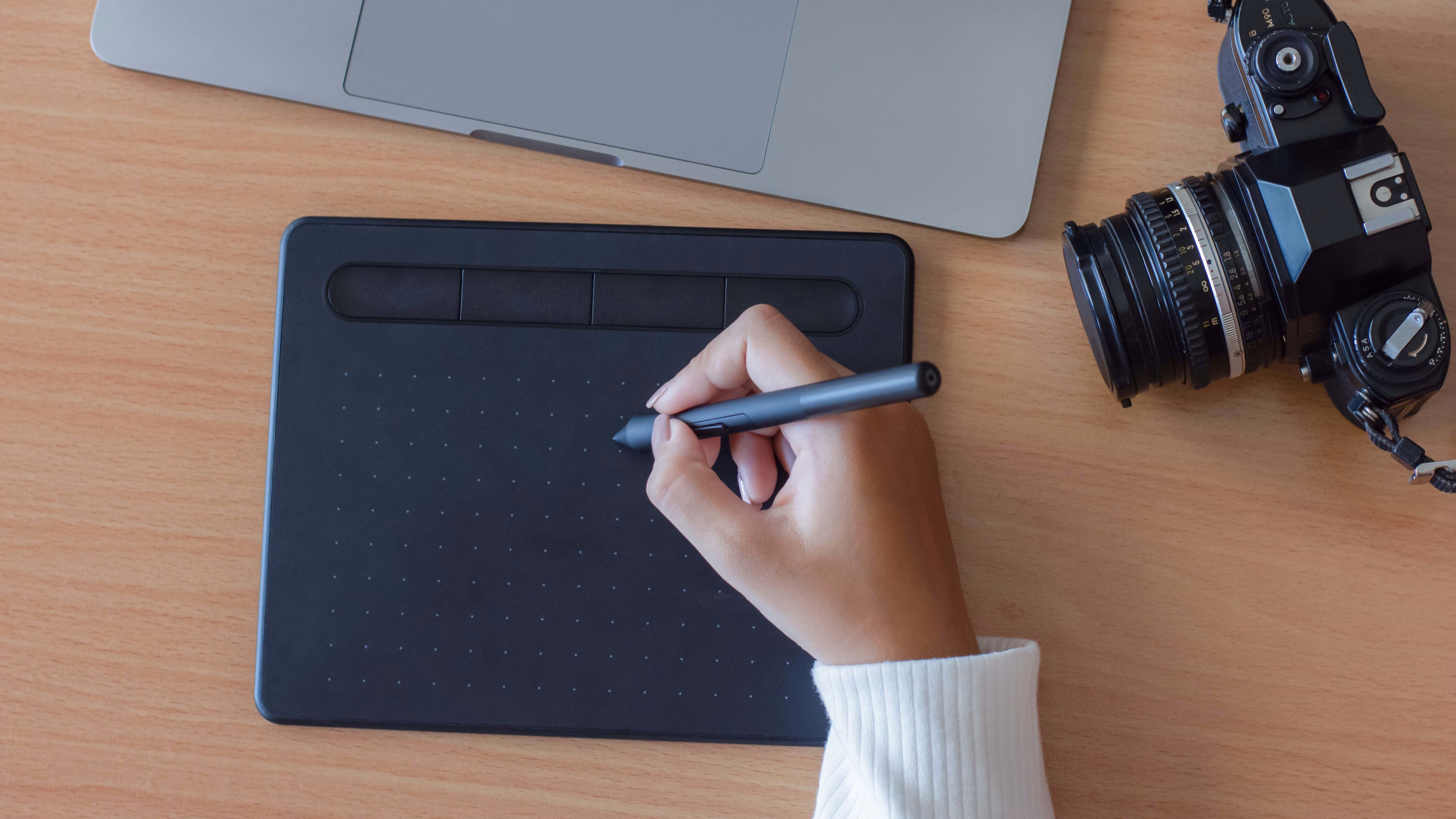
A pen grip can feel natural and precise, provided you keep the grip light and avoid wrist deviation.
When To Use, When To Avoid (Trigger Points And Grip Force)
Pen-style input shines for precision edits, retouching, and vector work. But here's the tricky part: if you squeeze the pen, you'll load those same forearm extensors that flare in tennis elbow. Keep your grip relaxed, and take micro-breaks every 20—30 minutes. If you have active trigger points in the extensor mass (top of forearm), limit pen time until symptoms calm with rest, stretching, or clinician guidance.
Setups That Minimize Pinch And Wrist Deviation
Set the tablet just below your keyboard, parallel to the desk edge. Map modest pen pressure and enable hover-click or soft taps. Keep the wrist straight, move from the elbow and shoulder, not from a bent wrist. Use a small, cushioned pen grip if your fingers tend to clamp down.
5. Low-Force Touchpad: Gentle Gestures, Centered Control
.avif)
Contour Touch offers low-force, centered pointing that can rest your elbow on heavy mouse days.
Gesture Efficiency And Tap Settings
Set single-finger tap-to-click and two-finger tap-to-right-click to reduce pressing. Use short, efficient gestures: three-finger swipe for desktops, two-finger scroll for documents. Keep pointer acceleration moderate so small motions go far without effort. A low-force touch surface can be a smart tennis elbow mouse alternative for travel or meetings.
Palm Rejection And Surface Placement
Enable palm rejection to prevent stray clicks. Place the touchpad centered beneath the spacebar, just like a RollerMouse. If your shoulders creep up, lower the desk or raise your chair so elbows rest at 90—100°. Small setup tweaks often deliver outsized relief.
6. Ambidextrous Switching: Share The Load Between Arms
Splitting pointing between left and right spreads strain and gives healing tissue time to calm down.
A Two-Week Transition Plan
- Days 1—3: 20 minutes per hour on your non-dominant side. Slow down: accuracy first.
- Days 4—7: 30—40 minutes per hour. Rest the sore side during the switch.
- Week 2: Aim for a 50/50 split or whatever feels best.
Stick to low-friction devices: a centered RollerMouse Red makes side switching trivial: a vertical mouse with a left-handed variant also works. Expect a small productivity dip that pays back in comfort and longevity.
Rotate Devices, Not Just Hands
Switching sides is one way to vary the load. Switching device type is another, and it suits people who cannot give up their dominant hand for a full day. Run a vertical mouse in the morning and a centered device in the afternoon, or keep a trackball beside your main device for long reading and reviewing sessions. Different geometry recruits different tissue, and no single posture stays comfortable for eight hours.
Hotkeys And Layout Tweaks To Reduce Friction
Move high-frequency actions to keyboard shortcuts and on-device buttons. Map copy/paste, close tab, and mission control to thumb buttons or RollerMouse buttons. Keep a small cheat sheet on your desk for three days, you'll internalize fast.
7. Compact, Low-Reach Pairing: Ergonomic Mouse + Narrow, Neutral Keyboard
A compact keyboard keeps your pointing device closer to your midline, cutting the reach that loads your elbow.
Why Keyboard Width And Arrow Cluster Matter
A standard full-size board pushes your mouse far to the right. That long reach adds shoulder abduction and forearm torque, bad news for a mouse for tennis elbow. A tenkeyless or compact layout brings the mouse inward. Low-profile key switches and a shallow tilt help wrists stay neutral.
Balance Keyboard Pairing And Desk Height Tips
Contour's Balance Keyboard is narrow, neutral, and pairs with a RollerMouse or UniMouse. Its adjustable downward slope and compact scissor-switch keys reduce wrist extension while the narrow footprint shortens reach. Desk at elbow height. Chair set so your feet plant flat, hips open ~100–110°, and shoulders relax down. If your forearms still hang unsupported, an elbow support for desk work takes the static load off the tendon between keystrokes.
Compare The Seven At A Glance
Each option below trades something for what it gives you.
A strap is a bridge, not a fix. A counterforce strap presses on the forearm muscle below the elbow, which shifts where force transfers and takes some of the pull off the irritated tendon when you grip. It can take the edge off a bad week. What it does not change is the reach, the pronation, or the click force that built the load, so treat it as temporary. Our guide to tennis elbow brace and strap options covers types, fit and wear time properly.
Conclusion
You don't have to fight your gear. The best mouse for tennis elbow reduces reach, rotation, and grip force, three levers you can control today. Start centered with a RollerMouse to minimize movement, or tune a UniMouse to your angle. Add a compact Balance Keyboard to bring everything inward. Rotate in a trackball, touchpad, or stylus when your workload changes, and switch sides to share the load.
Comfort isn't optional: it's how you protect your hands, your focus, and your career. Choose one change you can make in the next 24 hours, set it up with care, and notice how your elbow feels at 4 p.m. tomorrow. Contour devices are shaped to help you stay aligned and productive, better for you, better for the planet. Find your fit. Work miracles.
Frequently Asked Questions
What is the best keyboard for tennis elbow?
A narrow, low-profile keyboard is the best keyboard for tennis elbow, because it does two useful things at once. A tenkeyless or compact width brings your mouse closer to your midline, and shallow, low-force keys reduce how hard the extensor tendons work on every press. Keep the tilt flat or slightly downward so your wrists are not cocked upward.
Is a mouse pad worth it for tennis elbow?
A mouse pad alone changes very little. Soft palm support and a padded desk edge matter more, because a firm gel wrist rest props the wrist into extension and a hard desk edge concentrates your arm's weight over the muscles that attach at your outer elbow. Support the palm, keep the wrist level with the forearm, and spread the contact area.
Is the best mouse for tendonitis the same as for tennis elbow?
Often, but check where the tendon is. Tennis elbow is tendonitis of the wrist extensors at the outer elbow, so devices that cut reach, pronation, and click force apply directly. Thumb-side tendon pain at the wrist is a different problem, and a thumb-operated trackball would make that one worse rather than better.
How long does tennis elbow from mouse use take to settle?
Recovery varies widely, and realistically the range runs from weeks to many months depending on how much of the original load you remove. The setup changes usually show up first, often within a couple of weeks, while tendon tissue takes considerably longer. If symptoms have not shifted after several weeks of genuinely changed equipment and habits, see a clinician rather than waiting it out.

Which Device Is Right for You?
Take a quick quiz and get a personalized recommendation based on how you work.

