
RollerMouse Red Review: Centered Mouse That Could Finally End Your Wrist Pain
If you've spent years reaching to the right for your mouse and you're starting to feel it in your wrist, forearm, or shoulder, the Contour RollerMouse Red was built for exactly this problem. It replaces side-mounted mousing entirely, putting cursor control front and center so your body stops paying the price. This review breaks down how it works, who it helps most, and whether it belongs in your setup.
Key Takeaways
- The Contour RollerMouse Red eliminates side-reaching strain by positioning cursor control at your body's centerline, reducing wrist, forearm, and shoulder tension during long work sessions.
- The patented rollerbar design allows ambidextrous operation, letting you alternate hands throughout the day to distribute repetitive workload and help prevent RSI development or progression.
- With a twin-eye laser sensor, adjustable cursor speed, and pre-programmed buttons for common tasks, the RollerMouse Red delivers precision control without requiring gripping or hand rotation.
- It is best suited for desk workers logging 6+ hours daily in roles like software development, design, and writing, especially those experiencing cumulative strain that traditional mice or vertical alternatives have not resolved.
- The RollerMouse Red can anchor a fully integrated ergonomic setup when paired with a low-profile keyboard, making it a practical investment for users prioritizing pain-free productivity.
What Makes the RollerMouse Red Different From a Traditional Mouse
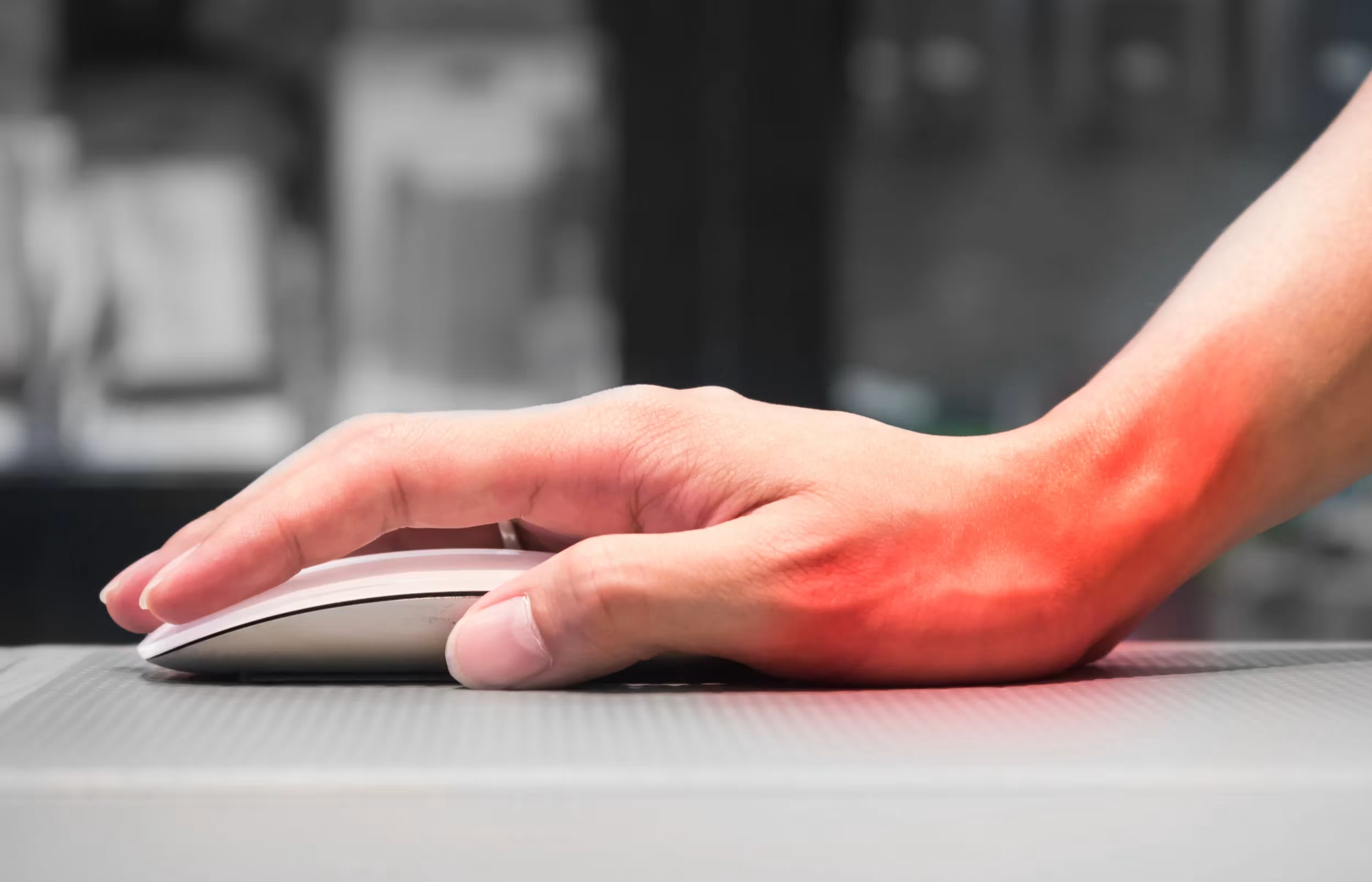
A standard mouse forces you to extend your arm to the side, rotate your forearm, and grip a device for hours at a time. Over days and months, that motion loads the tendons and muscles in your wrist, elbow, and shoulder in ways the body was not designed to sustain. For a broader overview, start with our guide to the best ergonomic mouse.
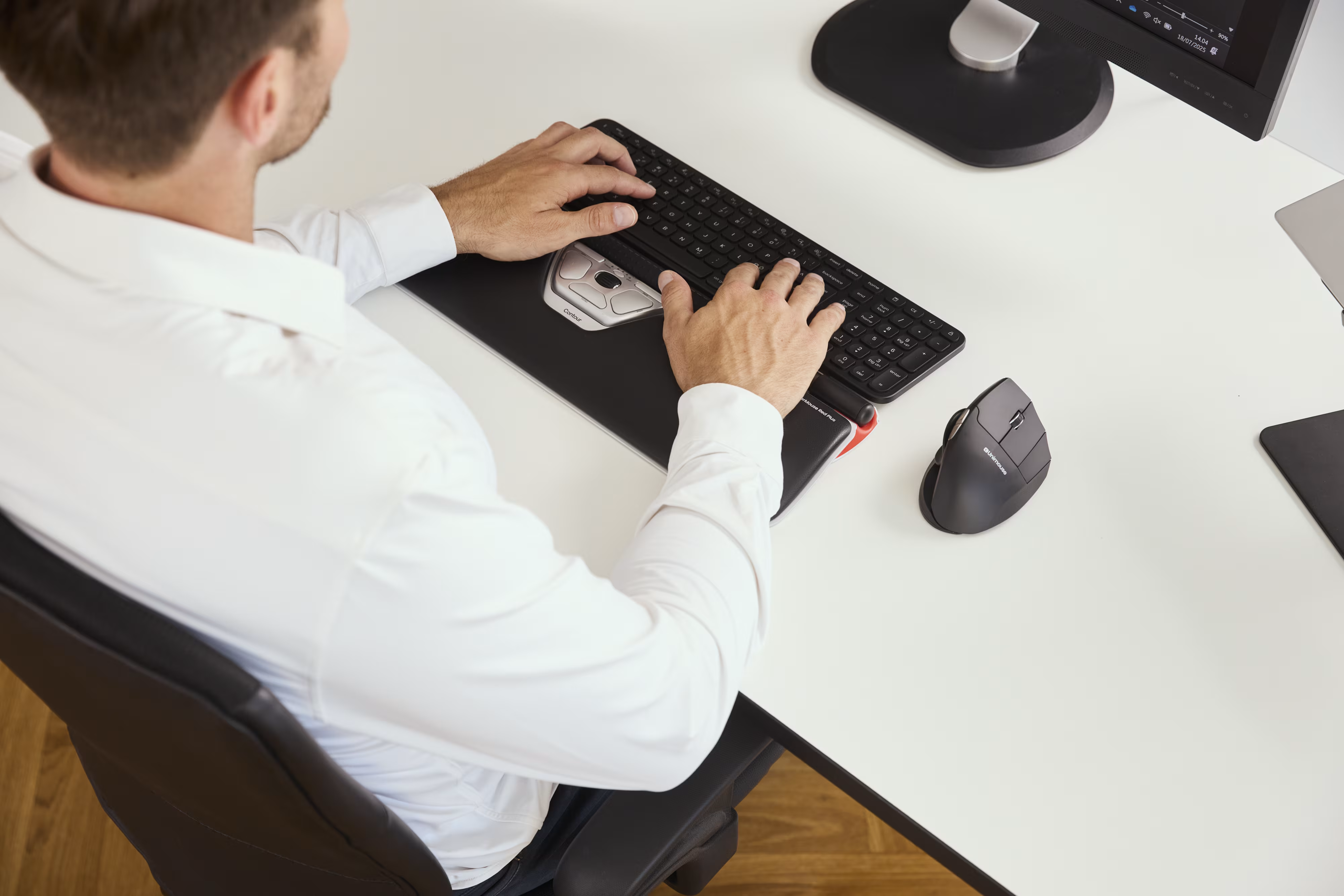
The RollerMouse Red takes a completely different approach. It sits in front of your keyboard, centered along your body's midline, which means both hands stay close to the keyboard at all times. You control the cursor by rolling or pressing a cylindrical bar with your fingers or thumbs, with no gripping required.
This centered position matters more than it might look on paper. Research published by the CDC shows that pointing device design directly affects upper extremity posture and muscle activity during mousing tasks. Keeping your arms neutral and close to your body reduces the muscular load that causes strain over long sessions.
The result is a structurally different workflow model: less reaching, less twisting, and fewer tense shoulders during full-day desk work. For a practical comparison of centered-device mechanics, see this explainer on the benefits of a centred mouse.
Key Features Built Around Your Comfort
The Rollerbar: Your New Way to Navigate
.avif)
The patented rollerbar is the defining feature of the RollerMouse Red. It is a textured, cylindrical control element that runs the full width of the device. You roll it forward and back to move the cursor vertically, and slide it left and right for horizontal movement.
Because the bar spans the entire device, either hand can operate it at any time, which means you can alternate hands throughout the day. This distributes repetitive workload across both sides of your body rather than concentrating strain on one forearm.
The light-touch design also matters. You do not grip the rollerbar. You rest your fingers on it and guide it with gentle pressure. The RollerMouse Red product configuration includes wrist support options for longer sessions, helping reduce hard-surface contact pressure.
Speed, Precision, and Programmable Controls
The RollerMouse Red uses a twin-eye laser sensor for precise cursor tracking, which means you get accurate, responsive movement across different surfaces without drift or lag.
Cursor speed is adjustable directly on the device, so you can dial it in for detailed work like design or photo editing, then speed it up for general navigation. The device also includes pre-programmed controls for frequent actions such as double-click, copy, and paste.
If you are optimizing for long-session comfort, this setup strategy aligns closely with guidance on reducing pain with an ergonomic mouse, especially when paired with keyboard height and monitor adjustments.
Who Gets the Most Relief From the RollerMouse Red

The RollerMouse Red works best for someone who types a lot and mouses constantly, then feels the cumulative cost in wrists, forearms, shoulders, or neck by the end of the day.
You are likely a strong fit if you:
- Work 6+ hours daily at a computer in roles like software development, design, writing, accounting, or IT
- Experience wrist tension, forearm fatigue, shoulder tightness, or neck strain that builds through the day
- Switch frequently between keyboard and mouse, where every side-reach adds up
- Want to prevent RSI before it becomes a diagnosed condition
The ambidextrous rollerbar makes it equally accessible for left-handed users, which remains a gap in many traditional ergonomic mice. If shoulder symptoms are already present, compare your current setup against this focused resource on computer mouse shoulder pain.
The device is less ideal for users who rely on high-speed gaming-style cursor flicks or need extreme DPI tuning beyond its built-in range. Most users report a short adaptation period before movement feels natural. It's worth understanding choosing a mouse to prevent carpal tunnel too.
How the RollerMouse Red Compares to Other Ergonomic Mice
The ergonomic peripheral market offers several ways to reduce mouse-related strain. Here is how the RollerMouse Red compares with common alternatives.
Vertical mice: They reduce forearm pronation, but your arm still reaches to the side and shoulder loading can persist.
Trackballs: They reduce arm travel but often concentrate repetitive effort on the thumb or index finger.
Trackpads: They minimize arm movement but can fatigue fine motor control in longer sessions.
The RollerMouse Red addresses a different root cause: the side-mounted position of the mouse itself. By centering control and enabling two-handed operation, it removes the repeated reach many alternatives still require.
Price is typically above entry-level ergonomic devices, but for users whose work quality depends on pain-free computer time, it can be a practical investment.
If you're not sure which ergonomic mouse to choose, our Help Me Choose Tool narrows it down and finds the mouse that fits you in under a minute.
Conclusion
The RollerMouse Red does not just tweak the traditional mouse concept; it replaces it with a centered input method designed for long-duration comfort. If wrist rests and vertical mice have not solved the problem, this is a structurally different approach worth testing.
Start with a two-week adaptation window, keep your keyboard and wrists aligned, and evaluate end-of-day strain honestly. Your body will tell you whether centered control is the missing piece.
Frequently Asked Questions About Contour RollerMouse Red
How does the RollerMouse Red reduce wrist and shoulder strain?
The RollerMouse Red sits centered in front of your keyboard, eliminating repeated side reach. This keeps your arms neutral and closer to your body, reducing cumulative load on wrists, forearms, and shoulders during long computer sessions. To understand the design behind it, learn about an ergonomic roller ball mouse.
Can the RollerMouse Red be used with both hands?
Yes. The full-width textured rollerbar is ambidextrous by design, so both hands can operate it throughout the day. This helps distribute repetitive motion and reduces one-sided overload.
What is the difference between RollerMouse Red and vertical ergonomic mice?
Vertical mice reduce forearm rotation but still require lateral reach. RollerMouse Red removes the side reach by centering cursor control, addressing a different mechanical cause of shoulder and upper-arm strain.
How long does it take to adapt to using RollerMouse Red?
Most users adapt within several days to about two weeks, depending on workload and prior mouse habits. A consistent full-day trial period usually produces the clearest result.
What features support long work sessions?
Key comfort factors include centered two-handed control, adjustable speed, programmable controls for repetitive actions, and cushioned wrist support options that reduce contact pressure over long sessions.
Is RollerMouse Red compatible with Mac and Windows?
Yes. RollerMouse Red models support common Mac and Windows workflows, with wired and wireless connectivity options depending on configuration.
For neutral wrist positioning benchmarks while configuring your desk, consult CCOHS wrist support guidance.

Which Device Is Right for You?
Take a quick quiz and get a personalized recommendation based on how you work.

